I recently ran into this issue. One of our iPads, which had worked with TestFlight apps before, was now giving an error: “TestFlight is currently unavailable.”
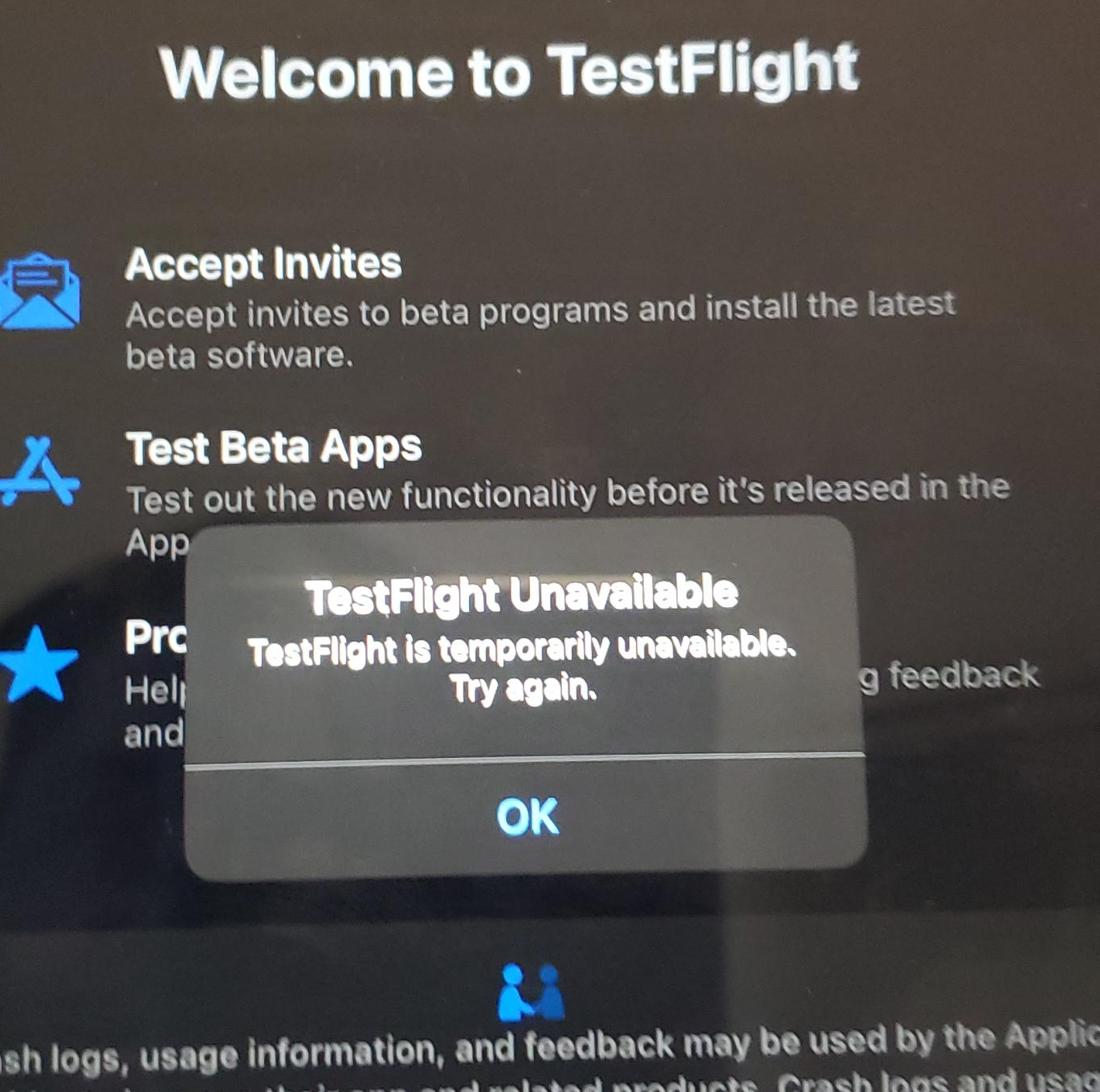
Suffice it to say, this was a blocker to testing our customer’s app.
Looking at Apple’s support forums and StackOverflow, this is a common issue, and I saw no posts with solutions. Just people saying “this happens from time to time” or simply giving up because it worked on another device with another account.
So how do you solve it? A coworker, Jeff, had a suggestion – had we added the user to our Apple account?
I hadn’t thought about this. Normally, you just invite people via TestFlight in App Store Connect and it just works. But the difference here was the iPad was a corporate managed device, via Intune, and the user was a managed user, using single sign-on, aka SSO. It wasn’t a normal personal Apple account.
So here was the fix:
- Open App Store Connect.
- Go to Users & Access.
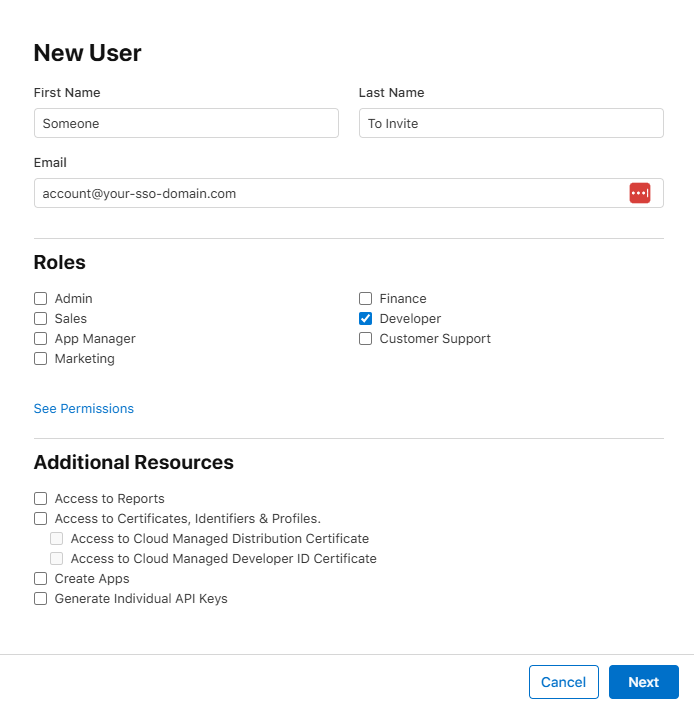
- Click the + to add the Apple account to the list of users. Set their access level to Developer. (I didn’t try this WITHOUT that, feel free to try and update me on success)
- Make sure they accept the invite, otherwise this won’t work. Apple’s invites can sometimes be quarantined/flagged as spam, so be on the lookout.
- Now go to TestFlight and invite that same account to the app and ensure they have access to the necessary builds. I’m assuming you already know how to do this part, so I’m leaving those screenshots out.
- Problem solved. “TestFlight Unavailable” error went away.
Other Solutions to Try
- Has the app build expired?
- Are there pending Apple agreements that need to be signed?
- Has a certificate expired?
- Did you invite the user to the right tester list?
- Are Apple’s servers down? Maybe wait a day…
- Do you have Internet access?
- If you can’t install TestFlight (different problem, really), and it’s a managed device, have you talked with IT to have it added as an allowed / auto-installed app?
 Auri's Blog