Archive for the ‘Uncategorized’ Category

image

Wouldn’t it be great to have a Windows Phone Developer Party at MIX? Not “official” by any means, but just a way for us developers to get together, go over what we have learned, what we want, and maybe even give a lot of feedback to Microsoft? Heck, if we’re paying $1200 (or more) to go to a developer conference, why shouldn’t all these great minds (ahem) get together?

Let me know… Ping me on Twitter at @AuriGroup or @Auri or send me an email at http://aurigroup.com.

Every year, I record the Superbowl and create a DVD with just the game with no commercials, and the a separate disc with just the commercials and the entertainment (halftime concert and so forth). This year I bought an ATI Digital Wonder CableCard tuner and recorded the CBS high definition cable feed and it came out beautiful.

This year I decided to use Microsoft’s free Windows Live Movie Maker to edit the 1080i video, which is stored in a Microsoft TV file. While it has done a fine job, I ran into some issues that I hope will make it to the Live Movie Maker product team so they can make this an even more stellar product.

I have categorized my list of entries as Feature Requests, Update Requests, and Bugs.

Yes, I fully understand it’s a free app. But it’s a fantastic free app, and hey, it’s Microsoft, and they can do anything 🙂

So here we go:

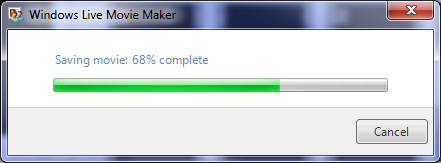
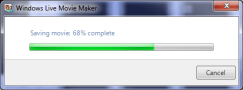
  • Bug: Live Movie Maker does not appear to continue encoding / saving a video if the computer locks. This is a problem, since Windows 7 automatically locks a computer after 10 minutes by default.
image

Figure: I started encoding at about 12pm, and the app appeared to be encoding just fine, at the 3% mark after 20 minutes. I left for lunch. My computer had locked the screen, and I didn’t touch it again for a few hours. When I unlocked it around 3pm, it wasn’t even past 7%. But the percentage meter started moving again after unlocking. As long as I prevented the computer from locking (it was plugged into a power supply and did not go to sleep), the video kept encoding. I got to the 41% mark before I left for the day. I left the laptop at the office overnight, and when I arrived in the morning and unlocked the computer, it was only at 60%. Ouch. Maybe it doesn’t stop encoding, but it sure does slow down to a short-bussed snail’s pace.

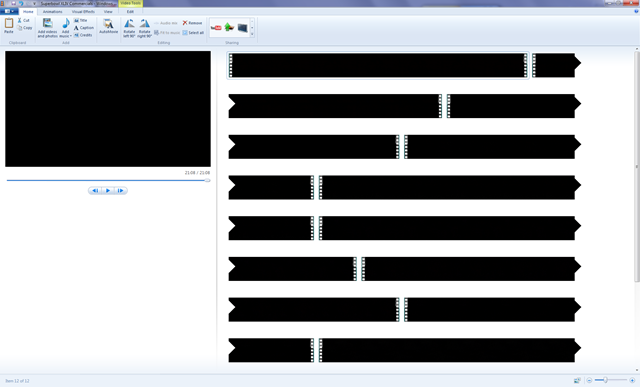
  • Bug: Timeline preview doesn’t always appear to work, especially with high definition video. It just remains a long black area.

    UPDATE: It is actually not a black bar, it’s just the first frame of the video, continuously repeated.

image

Figure: Screen shot of the timeline bug.

  • Feature: Utilize GPU video encoding.

image 

  • Feature: Save individual clips / trimmings as video files.
  • Feature: Assign names to individual clips / trimmings.

image

Figure: How do I tell these clips apart? A textbox underneath the clip would be very helpful.

  • Feature: Fast forward / reverse while trimming.
  • Update: Seconds in Trim Tool is nice, but the seconds don’t show anywhere else – it’s minutes/seconds on video playback, so the position is hard to match up.
  • Update: Provide a Properties context menu option to get information about the current video clip.
  • Feature: Is it possible to see realtime video decoding with the slider, so we can slide quickly through video?
  • Feature: Auto-save of projects, in case the app crashes, so you don’t lose all your work.
  • Feature: Commercial removal feature, or a more obvious API for writing plug-ins? DVRMS Toolkit has commercial skip, so maybe that can be ported?
  • Update: Maybe a paid version with more features?
  • Update: Multiple in and out points in Trim Tool.
  • Update: Ability to save in Blu-Ray ready formats like H.264 or MPEG-2, or allow plug-ins for different video encoders.

image

  • Update: Make toolbars, such as effects, detachable or have them show your favorite / recent filters, since it’s a timewaster to keep scrolling down to the “fade from black” and so forth on every clip.
  • Feature: Export to BluRay / AVCHD (this would be nice in Windows Media Center as well).

Examples of “Whoops” Pages

Posted: February 9, 2010 in Uncategorized

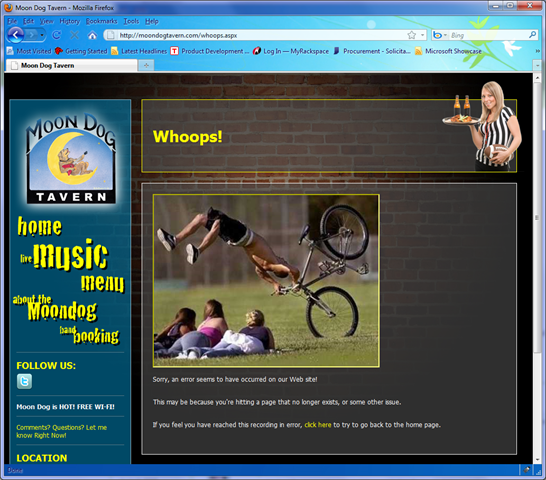
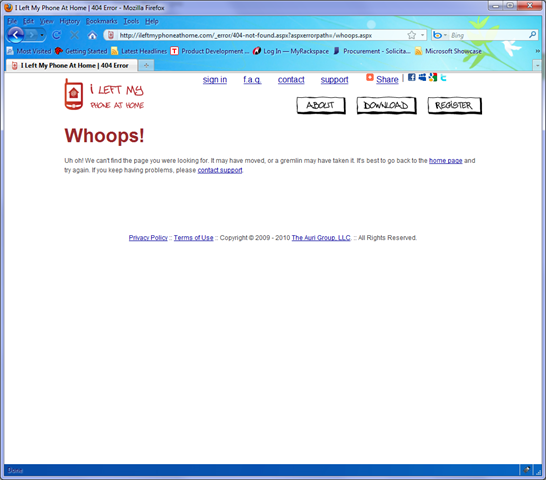
A lot of people have liked my post about Whoops pages, so I wanted to share some examples, including some my company has done. After the screen shots are some pointers for building your own Whoops pages.

Moon Dog Tavern’s Web site, where the owner is an avid cyclist:

image

I Left My Phone At Home, where we blame the gremlins:

image

B3TA’s Site:

image

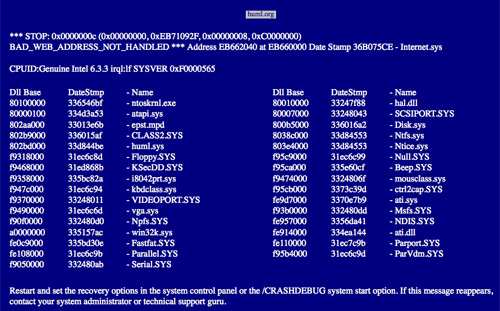
Huml:

image

Many more examples can be found here.

Considerations for Whoops pages:

  • Give the user links to pages that are most likely to work, including the home page (let us pray)
  • Provide access to a contact form and/or phone number if you are a commerce site
  • Whoops pages aren’t just for 404 (page not found) errors – they are almost mandatory for when something goes wrong (server errors) and making sure your development team knows something’s gone wacky!
  • Watch your traffic reports and error logs to address these issues that customers are likely not reporting
  • If you are using ASP.NET, you can configure your whoops pages in your web.config, including settings different pages for different types of errors.
  • It’s also a good idea to point your Web server to more creative error pages, since you’re never guaranteed that CGI pages (ASP.NET, ASP, PHP, JSP, and so forth) are going to use your Whoops page for every document type.
  • Don’t make your Whoops pages very intensive, such as including video from your own server (hint: use YouTube or some other video service instead). If there’s a popular page that isn’t working anymore, your bandwidth costs could go through the roof!

This actually reminds me, we have to do a new one on our own site <grin>… sending the email off to our UX team now!

Now, I personally think it would be funny to Rick Roll people on the Whoops page, but you may tick off your customers 🙂

Well, I’m a COLTS fan! What better way to celebrate our second trip to the Superbowl than a stadium shaped Bundt cake? But I’m also a geek, so why not also make a synth of said Bundt cake?

Here’s the Bundt cake (more photos here):

DSC05041

Here’s the links to the synths (I created two, just playing around with synth): (updated Feb 8 to fix some broken links, whoops)

First try: http://photosynth.net/view.aspx?cid=ac179592-570f-46c3-9089-750672ccb65c

Second try: http://photosynth.net/view.aspx?cid=39192387-1271-4ccd-851e-617d92e394db

In case you don’t know what PhotoSynth is… It’s a sweet free tool from Microsoft where you can take photos of an environment or object from many different angles, zooms, and perspectives and it will combine them all into a 3D environment you can navigate. That 3D environment also uses Microsoft’s “Deep Zoom” technology to enable instant loading of the synth at any resolution – loading only the part you need to view, but at the detail you need.

Try it out and let me know what you think. Or, create your own Synth today!

Bundt Cake Tech Specs:

  • Mould was stadium shaped
  • Blue sugar and white vanilla chocolate chips are in the cake
  • Gummy bear spectators (hey, the Bears couldn’t make it to the ‘Bowl this year)
  • Cream cheese frosting spires
  • Aluminum foil Goodyear blimp (thanks to Steve for the idea)
  • Green M&Ms for the turf
  • Blue and White M&Ms for the Colts on the field, black and gold for the Saints
  • Blue (Blueberry) and White (Coconut) Jelly Bellies for the Colts team on the sideline, Black (Blackberry) and Gold (Banana) Jelly Bellies for the Saints
  • Vanilla icing for the sideline
  • Some candy sticks for the field goals
  • Plastic Colts emblem in the end zone

PhotoSynth Error Page

Posted: February 7, 2010 in Uncategorized

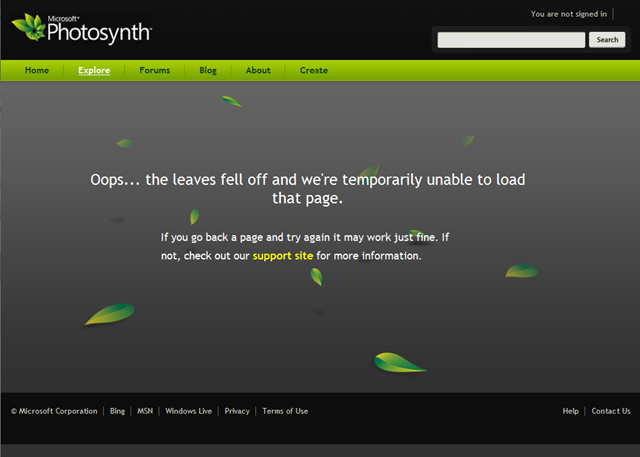
Well, I’m a big fan of “Whoops” pages, and Microsoft PhotoSynth’s site has a pretty cool one…

image

If you build Web sites, you should try to have a Whoops page in case anything goes wrong. It helps the user feel better about the site not working – much more so than a cryptic server error page or 404 “page not found” error.

192x192at96dpiYou’d have to be a cave dweller not yet have heard of the Clinton Bush Haiti Fund. Simply text the word QUAKE to 20222 on your US phone and $10 will be donated to the fund. However, I have met a lot of people who are not comfortable with texting, and they ask me to do it for them. Well, how hard could it be?

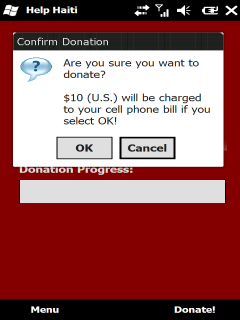
To make it simple, I wrote Help Haiti, a Windows Mobile app with a Donate button to quickly donate $10 from your phone. It also shows you a progress bar! How simple is that!?!

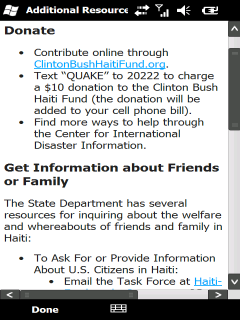
In addition to the good feeling you get after donating, you can also learn more about Haiti and find information numbers and Web sites, right inside the app.

Download it for free today at http://aurigroup.com/helphaiti.

I’ve also submitted it to the Windows Mobile Marketplace, and hopefully it will be available there soon 🙂

Here are some screen shots of the application in action:

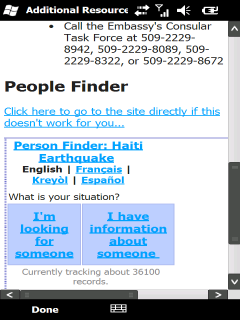
Help Haiti - Donation Process Help Haiti - Donation Confirmation Help Haiti - Additional Resources Help Haiti - Additional Resources (2)

Attention Windows Live Team! You guys are GREAT!!! I love Live Writer, and it’s a bummer there aren’t commercials all over TV saying how awesome all the free software you provide is…

Now that I’ve buttered you up 🙂

Please Add CAPTCHA to Blog Comments on Live Spaces. Seriously. The amount of spam we users get because of automated bots adding comments to our posts… Just insert that Telerik CAPTCHA control or something… quick and easy… just something that prevents our blogs from becoming advertising platforms for Chinese battery manufacturers and the like 🙂

Again, you guys rock. Like my complement sandwich?

Best,

-Auri

image

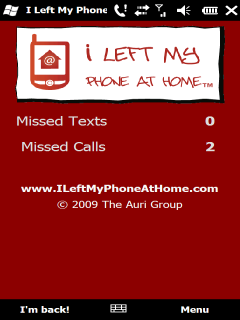
Ever leave your phone at home? It’s no fun to drive back just to make sure you don’t miss that important call, text, appointment…

My company’s latest app, I Left My Phone At Home (www.phonehome.me) is a Windows Phone application that solves this problem!

  • Tracks all missed text messages and phone calls
  • Quickly respond to all your text messages, online!
  • Simple, secure Web site for seeing your missed calls, texts, appointment, and more!
  • See your voicemails and battery life
  • See your next appointment and number of emails
  • No need to drive home to get your phone
  • No service charges – pay once, and that’s it!
  • Free updates!

You can purchase I Left My Phone At Home on Handango or on the Windows Mobile Marketplace.

image

Where is the Windows App Store?

Posted: January 7, 2010 in Uncategorized

With App Stores on mobile phones making software shopping simple and impulsive, why can’t the same be done for Windows PCs and desktops in general?

Look at the facts:

  • There are at least 69 million broadband users in the United States. Downloading games, office software – even annoying farting apps – would be fast and easy.
  • No media distribution means potential for lower prices. No CD or DVD stamping, no need to worry about the next storage format for distribution – just download it to your computer and you’re done.
  • Got a new computer? Need another license? Get it from the App Store.
  • There’s an update available! Download and install it now! How nice would that be? It works on Mobile phones with 500 MHz processors and partially reliable data connections. What about the PC that sits plugged in?
  • Security issues be gone!
  • Software developers have been painfully slow in getting automatic updates out to their consumers. Wouldn’t it be nice if the App Store took care of all this for them?
  • Is this what Apple may eventually do to tie all its products together? Who knows, but good idea…

What do you think?

Comments, please!

-Auri

Windows 7 God Modes

Posted: January 7, 2010 in Uncategorized

If you haven’t heard of Windows 7’s “GodMode” yet, let me give you the scoop: Basically, there are developer “shortcuts” built into Windows 7, and even Vista, that enable easy access to certain settings and information about the operating system. For example, one “GodMode” view displays every setting in Windows in one very organized Window.

In order to access these views, you simply create a folder with a name and a special string after it. So, you don’t have to call the folder “GodMode,” although that does fit the mood the first time you try it out.

NOTE: If you’re not a developer, these may not be that useful to you, but I think the GodMode list of control panels and wizards is really something that should be included with Service Pack 1. It really does make accessing settings easier.

Here’s how you do it:

1. On your desktop – or anywhere, but the desktop is easiest for playing around – create a New Folder.

2. Give the folder a name, then a period, and then one of the following strings:

{00C6D95F-329C-409a-81D7-C46C66EA7F33}
{0142e4d0-fb7a-11dc-ba4a-000ffe7ab428}
{025A5937-A6BE-4686-A844-36FE4BEC8B6D}
{05d7b0f4-2121-4eff-bf6b-ed3f69b894d9}
{1206F5F1-0569-412C-8FEC-3204630DFB70}
{15eae92e-f17a-4431-9f28-805e482dafd4}
{17cd9488-1228-4b2f-88ce-4298e93e0966}
{1D2680C9-0E2A-469d-B787-065558BC7D43}
{1FA9085F-25A2-489B-85D4-86326EEDCD87}
{208D2C60-3AEA-1069-A2D7-08002B30309D}
{20D04FE0-3AEA-1069-A2D8-08002B30309D}
{2227A280-3AEA-1069-A2DE-08002B30309D}
{241D7C96-F8BF-4F85-B01F-E2B043341A4B}
{4026492F-2F69-46B8-B9BF-5654FC07E423}
{62D8ED13-C9D0-4CE8-A914-47DD628FB1B0}
{78F3955E-3B90-4184-BD14-5397C15F1EFC}

And, as a reminder, to create the Godmode folder itself, use this string:

{ED7BA470-8E54-465E-825C-99712043E01C}

So, to create a “GodMode” folder, you would create a new folder and rename it:

GodMode.{ED7BA470-8E54-465E-825C-99712043E01C}

You’ll end up getting a folder like this:

image

Based on some experimenting with a script I wrote to create them all for me, here’s what I found each does:

God Mode

{ED7BA470-8E54-465E-825C-99712043E01C}

Location Settings

{00C6D95F-329C-409a-81D7-C46C66EA7F33}

Biometric Settings

{0142e4d0-fb7a-11dc-ba4a-000ffe7ab428}

Power Settings

{025A5937-A6BE-4686-A844-36FE4BEC8B6D}

Icons And Notifications

{05d7b0f4-2121-4eff-bf6b-ed3f69b894d9}

Credentials and Logins

{1206F5F1-0569-412C-8FEC-3204630DFB70}

Programs and Features

{15eae92e-f17a-4431-9f28-805e482dafd4}

Default Programs

{17cd9488-1228-4b2f-88ce-4298e93e0966}

All NET Frameworks and COM Libraries

{1D2680C9-0E2A-469d-B787-065558BC7D43}

All Networks For Current Connection

{1FA9085F-25A2-489B-85D4-86326EEDCD87}

Network

{208D2C60-3AEA-1069-A2D7-08002B30309D}

My Computer

{20D04FE0-3AEA-1069-A2D8-08002B30309D}

Printers

{2227A280-3AEA-1069-A2DE-08002B30309D}

Application Connections

{241D7C96-F8BF-4F85-B01F-E2B043341A4B}

Firewall and Security

{4026492F-2F69-46B8-B9BF-5654FC07E423}

Performance

{78F3955E-3B90-4184-BD14-5397C15F1EFC}


To run my script, simply copy it wherever you want to create these, and it will make a folder called Special Folders and put the new folders in it, as shown below:

image

After the script runs, this is what’s in the Special Folders folder:

image

In case you don’t want to download my batch file, here is the script for creating all these folders. Feel free to distribute:

mkdir "Special Folders
cd ".\Special Folders
mkdir "God Mode.{ED7BA470-8E54-465E-825C-99712043E01C}
mkdir "Location Settings.{00C6D95F-329C-409a-81D7-C46C66EA7F33}
mkdir "Biometric Settings.{0142e4d0-fb7a-11dc-ba4a-000ffe7ab428}
mkdir "Power Settings.{025A5937-A6BE-4686-A844-36FE4BEC8B6D}
mkdir "Icons And Notifications.{05d7b0f4-2121-4eff-bf6b-ed3f69b894d9}
mkdir "Credentials and Logins.{1206F5F1-0569-412C-8FEC-3204630DFB70}
mkdir "Programs and Features.{15eae92e-f17a-4431-9f28-805e482dafd4}
mkdir "Default Programs.{17cd9488-1228-4b2f-88ce-4298e93e0966}
mkdir "All NET Frameworks and COM Libraries.{1D2680C9-0E2A-469d-B787-065558BC7D43}
mkdir "All Networks For Current Connection.{1FA9085F-25A2-489B-85D4-86326EEDCD87}
mkdir "Network.{208D2C60-3AEA-1069-A2D7-08002B30309D}
mkdir "My Computer.{20D04FE0-3AEA-1069-A2D8-08002B30309D}
mkdir "Printers.{2227A280-3AEA-1069-A2DE-08002B30309D}
mkdir "Application Connections.{241D7C96-F8BF-4F85-B01F-E2B043341A4B}
mkdir "Firewall and Security.{4026492F-2F69-46B8-B9BF-5654FC07E423}
mkdir "Performance.{78F3955E-3B90-4184-BD14-5397C15F1EFC}

NOTE & WARNING: Deleting these folders does NOT affect Windows. It will NOT delete your control panels or settings. Now, what you do with the contents of the folders is done entirely at your own risk!

Easy!

Enjoy!

Thanks to CNET for the list of strings!!!