Archive for the ‘Uncategorized’ Category

  • “Modern OS” – virtual memory support with paging, networking, similar to Windows.
  • Integration with Bing search and maps.
  • DirectX-capable hardware
  • Application rutime uses CLR, with other capabilities: Silverlight UI, XNA for gaming, 3D and 3D graphics and content pipeline, and HTML + Javascript. Animation, Gaming, and HTML are the three key areas.
  • XAP package used to deploy app to phone using deployment to Marketplace. Microsoft checks the code, sign the code, and issue a license.
  • Application license is a crypto-verifiable object issued to grant rights to an application
  • (this model also guarantees Microsoft, just like Apple, always gets their cut of app profits – editor)
  • Phone handles all aspects of XAP installation based on the manifest. Individual apps will not be able to make arbitrary changes to the phone during installation.
  • Individual apps do not control their own lifecycle on the phone.
  • The Marketplace also controls revocation.
  • Both Trial and Beta are supported via Marketplace as well.
  • Apps are sandboxes into separate security accounts created while installed and at runtime.
  • Resource allocation policy keeps the foreground app responsive.
  • Resource management policy ensures the user can always use Start to run a new app.
  • Phone only runs apps that have a valid marketplace license.
  • Each app executes inside an isolated least privileged host process.
  • All app code is transparent and CLS-verifiable (making sure its not tampered with), mitigating impact of common attacks.
  • Frameworks enable app code to interact with app model, UI model, and phone functionality.
  • When you invest in this platform, you can re-use it on Windows Desktop, Xbox, and Bloud.
  • As time goes by, more and more capabilities will be made available across all Microsoft platforms.
  • UI Model concepts:
    • Application: UI and logic for functionality exposed through pages
    • Page: A single screen of user interaction elements
    • Session: An ordered workflow of user interactions spanning applications
  • The point is to blur experiences between applications. Make the system a single unified experience.
  • This approach is very similar to how Web app browsing/usage works.
  • The app page state can be retained and the application can be resumed from the page state. Basically, tell the presenter to show the UI again by reading the page state. So, UI can be discarded, freeing resources.
  • Showing a cool tool that shows processes, pages, memory utilization and more. I want to know if we’ll have access to this tool. It overlays on top of all running apps! Very cool.
  • App apps are a Direct3D surface. So, pages are layered on top of each other, rather than rendering the app in the application’s space.
  • System wide Z-order enforcement

Cloud Integration Concepts

  • Cloud is always on, unlike your phone, with unlimited power compared to the phone.
  • Built-in user experiences and APIs integrated with key Microsoft services
  • Familiar API frameworks for interaction with existing Web 2.0 services.
  • Rich support for incorporating custom web services into app-=specific  experiences.
  • Windows Live and Bing integration.
  • Integration with Facebook supported as well.
  • Location Service
    • Built-in support for consuming GPS, AGPS (assisted GPS) and Wi-Fi based location data
    • Managed APIs for location based interaction
    • Microsoft managed Wi-Fi access point data as part of Windows Phone Services
    • System.Device.Location namespace
  • Push Notification Services
    • Built-in support for efficient, battery-aware mobile push notifications
    • Managed APIs for notification-driven interation with existing Web 2,0 sites
    • App receives a URI to push or post data
    • Free to delay messages, free to batch messages – all managed by phone
    • No guarantee of message notifications – notifications can be deleted and never supplied to app (whaaa?)
    • Notification manager is in charge of all this and makes the decisions as to whether to deliver the message and when (how do other platforms work?)
    • HttpNotificationChannel channel = new HttpNotificationChannel(uri)
    • channel.ChannelUriUpdates += new EventHandler<NotificationChannelUriEventArgs>
    • channel.Open();
    • channel.BindToShellNotification();
    • channel.BindToShellEntryPoint(new ShellEntryPoint { code } ) // bind to tile
    • taskhost.exe hosts all application cod
    • sn1.notify.live.net/throttledthirdparty/ appears to be the url handling this
    • There is a Desktop Push Tool to get data to the phone

Xbox Live Service Integration

  • Gamer Services APIs for Xbox LIVE Profiles, Achievements and Leaderboards
  • Game Foundation ahndles authentication, caching, and partial connectivity for Xbox LIVE
  • Third party token allows secure integration with game-specific services
  • Profile information is cached locally on the phone, and synchronized whenever connected to Xbox Live
  • There is a Live ID client service in the OS (remember, a Live ID is required to use the phone)

Q&A

  • Apps will not be able to play or access or DRMed content, but they will be able to request the system do play such. Not sure if this means you won’t be able to enumerate music / video files.
  • The SLA (Service Level Agreement) for push notifications may be published as the phone gets closer to release.
  • The super cool debugging tool they showed will not be available to developers (as of yet) – bumr.
  • There will only be one SKU ultimately – Windows Phone – but no answer as to what the Series means in Windows Phone 7 Series.

Takeaway as a Dev (Op Ed)

The developers who don’t know what they’re missing will still create great apps. We can still do some great things, but what will the next 7 months bring from Microsoft’s competitors? Other platforms already provide this functionality in one way or another, and in some cases better – other cases, worse. But they have seven months to review this and change their game, and they move pretty fast.

I’m wondering if they’re holding anything back, but my gut tells me no.

Notes from the MIX Conference Day 2 Keynote:

Internet Explorer 9, HTML 5, Hardware Acceleration

>> Download IE9 beta at www.ietestdrive.com

  • Presenting: Dean Hachamovitch, General Manager, Microsoft
  • HTML 5 will make experiences feel like real apps rather than Web pages
  • Key takeaways: IE9 will hardware accelerate HTML 5 through the GPU and taking advantage of multiple cores
  • IE8 the most used browser on the Web
  • IE6 had a funeral last week (oddly, the mirror effect shows a 9 <grin>)
  • Showing IE9s Sunspider performance, and it’s a lot better than IE9
  • Making Javascript faster: Compiled JavaScript, compiled in the background, take advantage of multi-core by compiling on a separate core than the browser’s core affinity
  • addEventListener() is now in IE9.
  • IE9 passed CSS3 selectors test 100%. (578 of 578 tests)
  • Doing a demo of IE9, Firefox, Chrome CSS rendering.
  • Announcement: Microsoft will now be contributing DOM, CSS3 Standards Compliance Tests to W3C. Over 100 test cases submitted to help designers address these issues across browsers.
  • Demoing GPU-Powered HTML5, presented by Steve Sinofsky (sp?), President of Windows division
  • Very cool how fast it is.
  • They’re showing Clippy, rendered in SVG. Cool. Bummer – they’re not animating his eyes, but okay, I’m still cool with it 🙂
  • Using DirectWrite to do subpixel rendering and ClearType
  • Announcement: Hardware-accelerated SVG, and contributing SVG Standards Compliance Tests to W3C
  • Announcement: Platform preview available for download today. Updating the preview "about every 8 weeks.”
  • The preview does not have phishing protection, but it does have developer tools. So, remember this is a preview, and not for general consumer use / main browser use yet 🙂
  • HTML5 Video demo of YouTube HTML 5 demo.
  • Showing a Windows 7 Netbook with hardware video decoding. Showed Chrome playing HTML 5 HD video (720p). CPU, both cores, 100%, trying to decode video. Lots of frame dropping.
  • Now showing same in IE9 – works with practically no dropped frames, and looks pretty good, and CPU hovering around 40%.
  • They scrolled down and showed multiple HD videos running at the same time. Very cool. Note that video was 4 megabits/second.
  • Demo: Video Carousel
    • In Chrome it’s pretty slow, but still somewhat performant
    • In IE9, it looks much better, has full opacity, and plays very smoothly
  • PC Hardware + Windows for a better browsing experience – that’s what they’re pushing.
  • Note: The code name for IE9 was Chakra
  • Call to action: GET OFF IE6! PLEASE!

Visual Studio 2010, ASP.NET 4 Improvements

  • Scott Guthrie Presenting
  • Smaller viewstate (yahoo!)
  • Many of these things are not new news – but VS2010 and ASP.NET 4 will be great
  • Semantic URLs supported out of the box
  • New UI and Scaffolding Helpers
  • Ajax development significantly improved
  • JQuery intellisense and much more intellisense Javascribe support
  • Store multiple configuration settings for different environments (yay!)
  • Database deployment now also built-in for publishing sites
  • Scott Hanselman, principal Program Manager, Microsoft, demoing the product
  • Intellisense no longer requires you to use the beginning of a word – you can use just a piece, or camel casing. So, if you’re looking for HttpCatchException, you can just type cache or HCP. Cool!
  • Client-side databinding expressions such as {% if (Stock < 5 %} – for example, when you’re consuming a JSON data source on the client side
  • The database schema and scripting publish feature is just way cool.

Improving JQuery

  • Announcement: Microsoft will be contributing code to the JQuery effort.
  • Bringing John Resig, Creator of JQuery, on stage.
  • JQuery has a 30% market share.

Web Platform Installer

  • More than 10 million downloads in the past 12 months.
  • The Orchard Product – lightweight CMS and blogging engine, fully open source.

WebsiteSpark and BizSpark Programs

  • Microsoft WebsiteSpark and BizSpark – no cost, no obligation Web site launching solution. WebsiteSpark gives developers Visual Studio, Expression Studio, and other software, including 2 server licenses, for independent contractors and small businesses with 10 or fewer employees. Pretty cool.
  • Michael Comperda, Director of Technology at Curse, on stage (Web gaming company)
  • Before BizSpark they used LAMP is things were terrible

More downloads available at http://microsoft.com/web

Services Powering Experiences

  • Doug Purdy, Microsoft
  • Everyone at Microsoft loves Twitter
  • Open Data Protocol for those who understand ATOM and ATOM Hub
  • Announcing Netflix is using OData
    • Uses SQL Azure.
  • Expression language entirely in URL, no other code necessary – neat-o
  • Announcement: Support for OData on iPhone.
  • Every SharePoint 2010 list is an OData feed.
  • OData support will be available via Excel 2010 using PowerPivot.
  • Many OData feeds coming in other Microsoft products, inclduing jQuery, Acure, SQL Acure, Server 2008, Silverlight, Dallas, Windows Phone 7 Series, Dynamics, PHP, SQL 2008, Restlet.
  • Announcement: Releasing .NET OData under the Apache 2 License.
  • :Lots of partners.
  • More information at http://www.odata.org.
  • Announcing Project Houston: Web-based method to builld databases inside a Web browser using Silverlight.
  • Automatic OData service for any SQL Azure database.

Codename Dallas – Monetizing Your API

Question: Has anyone else noticed they’re not mentioning Android or Google at all during these keynotes? They’re mentioning the Pre and even Apple, but no Google properties… interesting.

Got a red polo shirt, too 🙂

A few interesting notes for developers:

  • No native database support is built-in to Windows Phone 7 Series
  • This does NOT mean you can’t use SQL Azure for cloud-based data access
  • A managed solution could be built – so that’s something important to write
  • This is strictly for consumers at this point – it is *not* for LOB or Embedded solutions
  • Visual Studio 2008 will remain the way to write 6.5.x apps, and no plans have been made for VS2010 support of current phones (???)
  • It appears WP7S is not the next generation Windows Phone, but a completely new line of phone devices strictly for consumers
  • Windows Phone 6.5.x will continue to be made, and “no end of life plans have been announced”
  • In this release, 3rd party apps will always be paused when a user switches out of them
  • “Multitasking-like” capabilities will be available
    • Most common background types of tasks that users care about, such as music playback, will be available
    • Developers have access to these “common tasks”
    • Live Tiles on Start screen, combined with Notification System, can respond to events from the Notification System
  • Controlling the overall end user experience
  • “In This Release” keeps being said. I’m guessing this means the first generation of Windows Phones will be a trial run of Microsoft’s new approach.

Presented by Charlie Kindel @ckindel

  • Two dev approaches: Silverlight and XNA.
  • If it’s Silverlight 3, it will work.
  • Some elements of Silverlight 4 are in there.
  • Charlie says the version of .NET doesn’t matter.
  • WCF is there as a key feature.
  • Photo functionality provided.
  • Supposedly there are 500,000 Microsoft developers worldwide. That’s a lot, but I thought there were a lot more.
  • How apps get access to sensors, get paused, and so forth is the same across all platforms.
  • Pickers for contacts and photos (like in .NET CF).
    Integrated with Cloud Services.
  • To write an Xbox Live enabled game, you do NOT have to use XNA. You can use Silverlight instead.
  • Apps run in a managed sandbox.
  • All of your code is managed code running in the managed framework (CLR).
  • Windows CE underneath. Abstracted away certain levels of it.
  • The sandbox is somewhat secured against OS access.
  • Apps apparently must say what resources they will use (like Android’s manifest permission feature) otherwise they cannot access it. They aren’t showing this capability as of yet.
  • All apps will be XAP – not EXE.
  • Common format for all Windows Phone apps and games.
  • XAP is basically a renamed ZIP file.
  • Declarative, manifest-based installation.
  • Note that the tools download is a CTP, not a release.
  • They weren’t able to get the Expression Blend 4 installer into the CTP, but it is available separately.
  • The next CTP / release will have EB 4 included.
  • You register your phone on a developer portal, and that “Developer Unlocks” your phone. Hmm.
  • Supposedly the certification process is being fixed so you know what’s going on at all times during the certification process.
  • Marketplace will no longer be a separate app. It will be integrated into the phone for acquiring content, including music, videos, podcasts, and applications.
  • For example, you can buy games in the Xbox hub, Music in the music hub, and so forth.
  • People are wondering what the “contoso” link is for in the app store.
  • Try before you buy. There will be a flag in your app for “Is Trial” and that will tell your app it’s in trial mode.
  • Payment flexibility: Mobile operator and credit card billing.
  • The “Try before you buy” functionality is not in the current CTP.
  • Resources:

Notes from Joe Belfiore’s introduction to Windows Phone 7 Series session.

  • Front facing camera on phones
  • Microsoft is writing entire phone dialer stack
  • Not relying on OEMs from many of the things they had to do before
  • GPS, proximity sensor, accelerometer
  • Target: Life Maximizer – 38 year old individual, 78% employed, 76% in a relationship; cares about their work email; slightly more inclined to buy a more expensive device
  • Accent colors on tiles are customizable
  • MMS is very cool
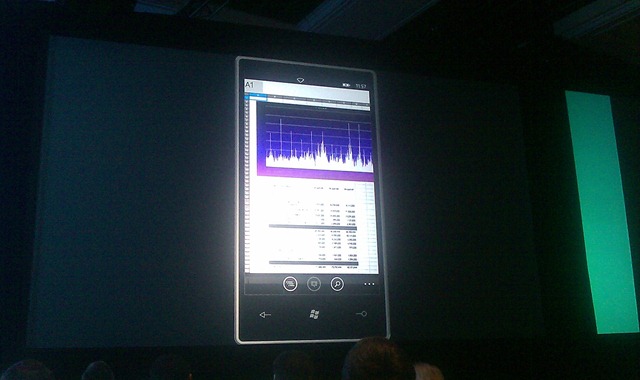
  • Office is looking awesome – how high res will these displays be? I wanna see Word… doesn’t look like a half-baked app anymore
  • No mention of background apps
  • Camera hardware spec: Minimum 5 megapixel image with a flash
  • You don’t have to have a PC to be a Windows phone user. Of course, no mention of a Mac client.
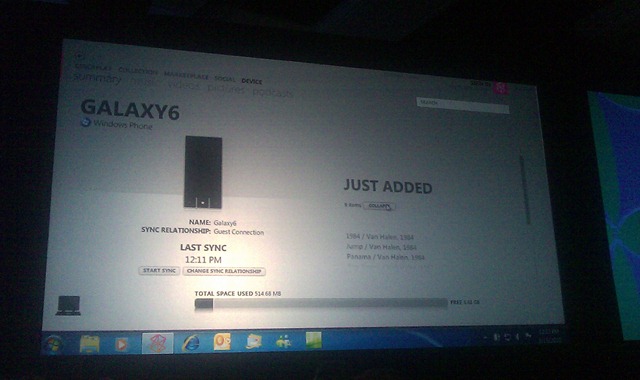
  • Windows Phone icon in the Zune software.
  • ActiveSync is GONE. Yahoo!
  • The phone will be able to sync wirelessly, just like Zune! If you are connected to your home network, you’re automatically synced. The full resolution version of all the photos will be taken off your phone every time you charge, since they found many people never take the photos off their phone.
  • Whenever you plug in to power, syncing takes place.
  • Game requests can be received on the phone, so you can start playing phone games with your friends. You can also be notified of when it’s "your turn," so if you’re playing chess with a friend, you’ll get a note that it’s your turn.

IMAG0081 
Figure: Office Excel for Windows Phone 7 Series.

IMAG0083
Figure: Windows Phone in Zune.

IMAG0084
Figure: “Your Turn” feature

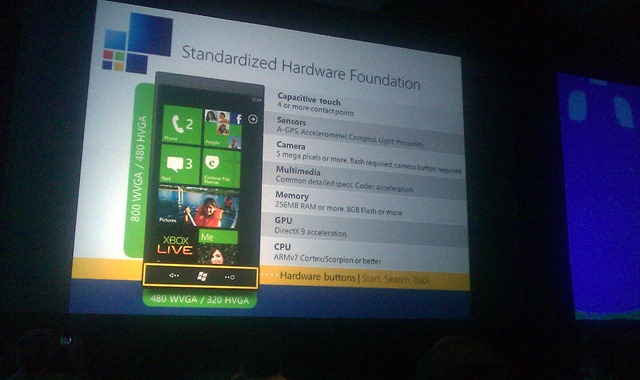
Hardware Specifications

Capacitive Touch: 4 or more contact points
Sensors: A-GPS, Accelerometer, Compass, Light, Proximity
Camera: 5 megapixels or more, Camera
Multimedia: Common detailed specs, Codec acceleration
Memory: 256 MB, 8 GB Flash or more
GPU: DirectX 9 acceleration
Processor: ARMv7 Cortex/SCorpion or better
2 screen sizes: 480×800 WVGA, 480×320 HVGA
Keyboard: Optional
Hardware Buttons: Must be fixed on the face

IMAG0085 
Figure: Hardware specifications.

Phone that you’ve been seeing in all the demos until now is an ASUS.

Also showed LG phone with keyboard and Samsung Slate with cool photo capabilities.

http://live.visitmix.com/resources for all the code, samples, and more.

Yo-yo champion to entertain us while we wait…

DSC05147

They’re showing PhotoSynth being overlaid on maps. Also, overlaying geotagged images on maps in Bing. Very cool. Photos are taken from Flickr (and others?) and create what looks like synths. www.discoverbingmaps.com

DSC05150

Scott Guthrie (Corporate Vice President, Developer Division, Microsoft) is here. Biggest MIX event ever.

Talking about Silverlight EVERYWHERE. In the Media, RIA, and on the phone.

Silverlight was installed on 45% of all devices as of PDC 2009. Almost 60% now.

The almost-instant videos of Olympic events were created with a “Silverlight Rough Cut” editor. Way cool. All the code is being open sourced! Download at http://smf.codeplex.com.

Silverlight 4 will have Output Protection and Offline DRM, as well as Webcam, Microsoft, and Multicast Streaming. However, I’m wondering what kind of issues this will represent…

DSC05153

Slide of Silverlight 4 new features. Trusted apps that can reach outside sandbox. Hmm…  Right-click is a “new feature” – good thing Christian pointed that out – funny 🙂 Private Mode Browsing? Neat-o… Great for porn sites.

WYSIWYG XAML design editor in Visual Studio 2010… that should be nice. I need to play with that.

Showing Expression Blend 4. “Great support for Silverlight 4.” Free Upgrade for Expression Web 4, so if you have Expression Web 3, you’ll get 4 for free!

eBay is using Silverlight. Inviting them on stage now to talk about it. Showing eBay Simple Lister Beta. Can take photos of images and add them to listings. Sounds like a great online tool for eBayers. You can drag a photo from the desktop right into the application. That’s pretty cool. This app will be announced/released at the Silverlight 4 launch. eBay opened the “Open eBay” applications marketplace in the past month, so applications can be marketed on eBay. http://appstore.ebay.com

DSC05156

I really need Buzzword Baby at this point… The Cynergy guy is presenting.

I think I just wet myself over Silverlight 4 and Expression Blend 4. The Sketch Flow is AMAZING. Very, very interactive.

Expression Web 4 RC is now available for download.

Final version of Expression Web is being released next month.

Joe Belfiore is coming now. Then Scott’s going to show how to develop.

DSC05159

Development platform being announced. Corporate VP, Windows Phone.

Assuring us this is a real phone.

Wide tiles are called “double wides”.

What’s the ProjectX showing up in Belfiore’s calendar?

I’ll Be Late feature. Press the button and it asks you if you want to email the folks know that you’ll be late.

Idea of a hub is to create a central location that is task oriented. User can go there and find everything they care about relative to that data type. Sounds like Libraries in 7, but evolved. Hubs use a “panoramic experience,” which means the experience is wider than the screen.

Social networks must be aggregated via WINDOWS LIVE in order to be included in the feeds shown on the phone.

Whatever kind of music or video you like to use will appear in the hub… not sure what this means. Sounds like third-party apps will be allowed. Hey, maybe we’ll see iTunes for Windows Phone 7 Series! j/k 😉

Going to show apps written using XDA for the phone.

Showing AP Mobile app.

Now showing Hush Hush diary app from Jackson Fish Market.

Neat app, but obviously a very canned demo 🙂 Didn’t see the emoticon keyboard in the demo… maybe it was disabled. But that was strange.

Showing third party apps and how they can add value (i.e., link in) to the built-in apps.

Extras shows up in menus. Apps can identify themselves as “Photo Extension” and provide options. I’m imagining this is how the rest of the apps integrate. I like the floppy disk icon in the photo editing app extension.

Showing a 3D game called The Harvest. www.Lumaarcade.com appears to be the developer. Uses capacitive touch. This is an Xbox live game, so achievements can be earned.

Ok, he wrapped up. And now we’re back to Scott, who will explain how to build these apps.

Windows Phone 7: Silverlight + XNA

  • Fully hardware accelerated
  • This is Silverlight. No limitations. No compact framework bull***t anymore it seems 🙂
  • Three templates built-in to VS2010 so far: Phone App, List App, Class Library.
  • Designer is like VS2008, but XAML, but has the awesome designer stuff we WANT. That’s awesome. Double click and add code, just like you’d expect. This really changes the development game, since Apple and Android tools suck compared to Microsoft’s.
  • An emulator is provided. It’s a “real phone”.
  • Still don’t see emoticons in the keyboard anymore. What happened? Must be a setting?
  • Finally, orientation support in the emulator.
  • You can set the supported page orientations – that’s good 🙂

Scott’s about to show how to build a Twitter client

  • Added a Silverlight listbox
  • Not using the real Twitter, though, lol (api-twitter-com rather than api.twitter.com)
  • Using LINQ-to-XML to parse the XML and bind them to the twitter items class and to the Listbox
  • Ok, that was very cool – a Twitter client in less than 5 minutes
  • If you’re running on a Windows 7 system with multi-touch, you can click and drag on images and get full multi-touch in the PC, and on the emulator! 🙂

Inviting Jon Harris, Senior Product Manager@ Microsoft, on Designing Windows Phone Apps in Blend

Showing Expression Blend 4 for Windows Phone

Is that a separate product? Doesn’t appear to be, so maybe he misspoke.

Building an MVC app. Just dragging View Models into the app and adding it to the Data panel in Expression. He can create object data sources and work with them while designing. Drag them into the design surface and the app databinds and shows the data. Pretty cool.

You can import Adobe Photoshop and Adobe Illustrator documents inside of Expression Blend. I don’t know if this already existed, but that sure will help from the dev side – no more asking for JPEGs. I wonder how this affects the image size when deployed?

Can make any XAML page into a “control” … not sure what this means. Keynotes never have that level of detail, but will definitely try to learn more about this feature.

Supposedly Windows Phone 7 developer tools are now available, but I don’t see the tools online yet. Keep watching http://developer.windowsphone.com.

image  Waiting for SDK…

All developer tools will be FREE FOR PHONE DEVELOPMENT. This is a very cool deal.

UPDATE: Tools will be available from MSDN or http://developer.windowsphone.com after 11AM Pacific.

Showing Netflix app. Scott Stanfield showing the app.

You can stream movies to the phone with the Netflix app, and it can change the bitrate on the fly (read Smooth Stream on phone!).

You’ll be able to resume movies, too! NICE!

Third party content integrates into the video area if asked.

Back to Scott…

Silverlight on Windows Phone 7 supports Deep Zoom. I wonder if they’ll add PhotoSynth to the phones? PhotoSynth + GeoTagging would be way sweet.

Showing Graphic.Ly app. View comic books on phone.

Many of these apps are showing list views. While that’s cool, how do the other types on non-game apps look?

Showing Deep Zoom on the comic books. Also showed thumbnail view. Pretty cool. But I’m not a comic book fiend, but the tech demo is pretty nice. Losing the audience a bit – wondering what they’re going to show that is just super amazing.

Note that there is zero mention about porting your existing apps.

Scott’s about to show Location and Map support. Users must give permission to use Location and Map – although he hasn’t provided information on this permission stuff. No demo of Marketplace yet.

Foursquare’s Laura Foy is about to chat about their Twitter app. Funny – her intro image shows a Macbook Pro.

I’d really like to see the install process and Marketplace.

Next up: Jeff Sandquist of Shazam

Windows Phone 7 apps can access the raw audio input from the mic.

(just thought about this… you’ll finally get a Windows Phone 7 Series at MIX… in the form of an emulator <grin>)

Looks like you can download music found in Shazam straight from Zune Marketplace.

Scott’s back, talking about Push Notification support.

Charlie Kindel will show Major League Soccer’s app.

Now for a demo of Marionette. Dressed up Steve Ballmer and tossed him around a bit. Funny.

DSC05210 DSC05209

Inviting Loic Le Meur from Seesmic on the stage.

Showing Seesmic Desktop running entirely on plug-ins.

Mobile version of the app is mostly the same code used for Seesmic Desktop.

Coding4Fun: Cannon

App to remotely control a cannon. Uses accelerometer to steer the cannon. Hahaha. Cool.

Shooting shirts into the audience. This thing has RANGE. Nice.

They will be open-sourcing the code to the cannon.

Now on to XNA

Free Visual Studio plug-in to enable the XNA stuff…

Larry Hryb is showing GooSplat and Battle Punks, written using XNA.

Showing how the same Harvest app will work on PC, Xbox 360, and Windows Phone.

Demos were created in about 3 weeks. (question: how many people? what are the details behind that data?)

On the Marketplace

There are both TRY and BUY buttons in Marketplace

He sort-of said you’ll be able to upload from Visual Studio or Expression to Marketplace. Not sure if that’s what he meant, but that sure would be cool. Kind of like Azure’s deployment model

You can download the Windows Phone Developer Tools… including Visual Studio 2010 for Windows Phone, Expression Blend 4 for Windows Phone, and XNA Studio for Windows Phone. These will be FREE FOREVER.

http://developer.windowsphone.com

image

It’s up!

MIX 10 Swag

Posted: March 15, 2010 in Uncategorized

Ok, I’m at MIX and the swag is in. No, the “you get a Windows Phone 7 Series” are NOT true – yet. There were a lot of rumors, so let’s dispel those now:

  • NO Windows Phone 7 Series
  • NO Free Zune Windows Phone 7 Series Development Kit
  • NO Windows Phone 7 Series SDK (yet!)
  • NO advanced electronic hardware has been handed out yet whatsoever

Even the #mix10 conference folks tweeted to dispel the rumors. Apparently it got pretty out of hand 🙂

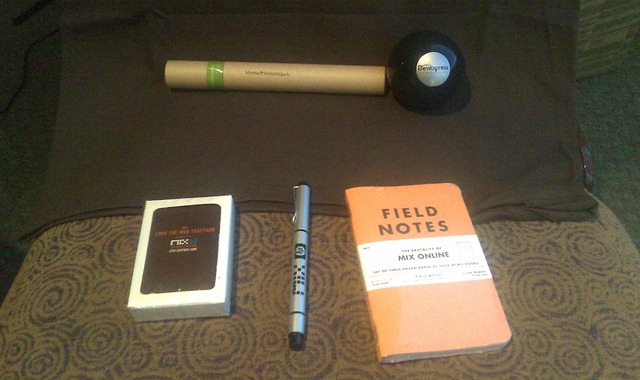
But there has been some pretty cool swag so far (images are below):

  • Cool name badges with Windows logo + zipper
  • Awesome “Love the Web Together” T-Shirt
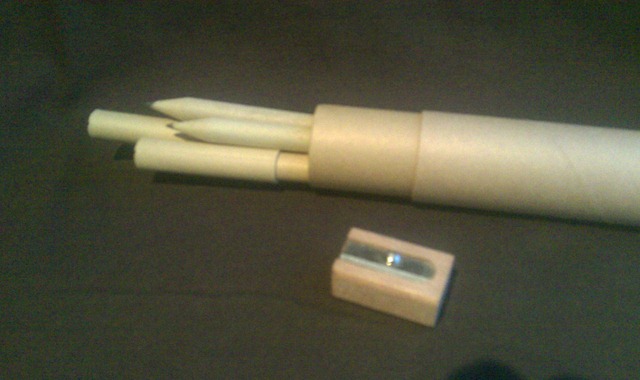
  • Pencils galore (umm, ok)
  • Magic 8 Ball (typical MS conference fare)
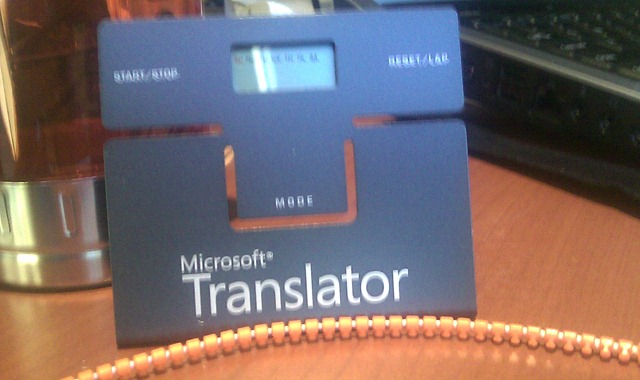
  • Microsoft Translator Leeds timer
  • “Field Notes” notebook – pretty cool since it says “The Brutality of MIX Online”
  • MIX 10 playing cards and water bottle

IMAG0073 
Figure: Name badge.

IMAG0074

Figure: The T-Shirt.

IMAG0077

Clockwise from left: There are pencils in that tube! Magic 8 Ball, Field Notes, HP Pen (no e-Ink), and MIX 10 Playing Cards.

IMAG0080 
Figure: Pencils.

IMAG0078  The “Field Notes” notebook.

IMAG0079 
The timer + clock.

IMAG0076
Ooh! A water bottle! It says Windows Phone, though, so that’s cool 🙂 No, the laptop was NOT handed out.

More coming after the keynote… will try to live blog, but pffbt…

To all my Windows Phone Developer Friends –

There’s a lot of speculation, spin in the press, and [deserved] poor sentiment towards Microsoft and the handling of Windows Mobile development going forward.

That being said, we haven’t seen anything yet, and we won’t until MIX!

Let’s stay cool until we get the tools, and hear how things will play out. Then we can have informed opinions.

Remember, Microsoft is an 800 pound gorilla. They can build and shatter markets – not like they used to, but they can still do it.

And I think they can with mobile.

Windows Phone 7 Series – we all know this – is a necessary "reset" as they are calling it.

Writing apps has been easy, but our apps have required a lot of extra work to build great UIs. The OS has had more leaks than Swiss cheese.

I think Microsoft did the right thing. For those of us who have been writing apps using .NET for years, we continue to leverage that knowledge, and the ease of use of building apps. Have you tried writing an app in Objective C? How about trying to call a Web service in Android?

I feel we’re going to get good news out of MIX. The rest of the development platform at Microsoft (mobile) is hopefully finally catching up. Oh, and they’re opening up an opportunity (it seems) for single development multiple platform – write an app using XNA / Silverlight / WhateverisannouncedatMIX and you can sell it on Windows Phone, Zune and XBox 360. You should also be able to port your desktop apps, and tie them together with other Microsoft (and other) platforms more easily.

Of course, I don’t want to start on the speculation route.

So, that’s my $1.05 for the day. Enjoy 🙂

Best,

-Auri

Should be a good day and place for it…

WHAT: Windows Phone Development Cocktails & Conversation
WHEN: 8PM to whenever
WHERE: MIX Lounge, which is located in THEhotel, part of Mandalay Bay.

Please follow @AuriGroup on Twitter for more details.

Could you spread the word, please? Please retweet! 🙂