I installed Windows 7’s “XP Mode” today, which is basically a new version of Virtual PC somewhat embedded into Windows 7. It *is* a separate download, so make sure you get it on May 5 when the general public can grab the Windows 7 RC (Release Candidate). It’s about a 487 MB download. Below are the screen shots from the experience with my notes along the way. FYI, I am running the x64 version – there is also an x86 download.
Note: I go over my experience using XP Mode later on in this article. Feel free to scroll down to “Using XP Mode” if you want to cut to the chase.
Installing XP Mode
First things first, download and install Windows Virtual PC Beta. You’ll need this to run the pre-configured Windows XP hard drive, which is, interestingly, a separate download.
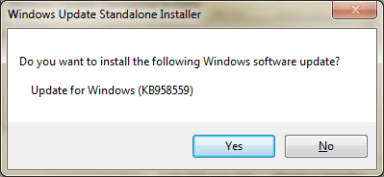
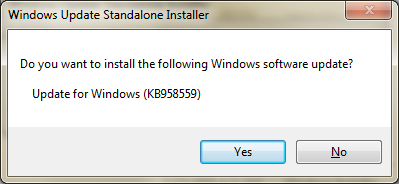
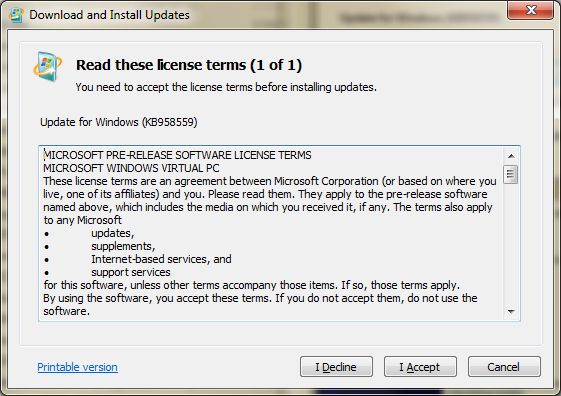
Figure 1. You’ll be asked to install an update when you launch the Windows Virtual PC installer (note that .msu extension). Windows Virtual PC is apparently an “update,” not an installer. OK, whatever.
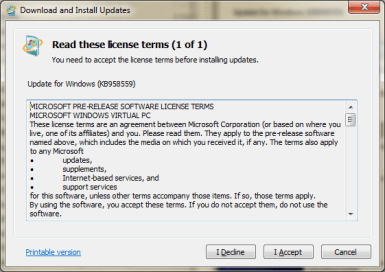
Figure 2. Agree to the EULA for the pre-release software.
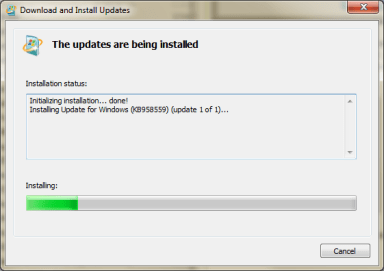
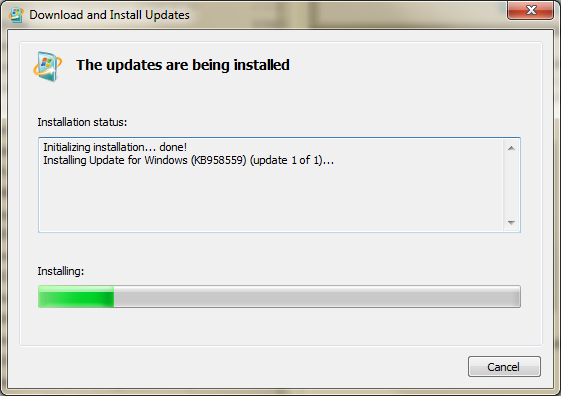
Figure 3. Windows Virtual PC gets installed.
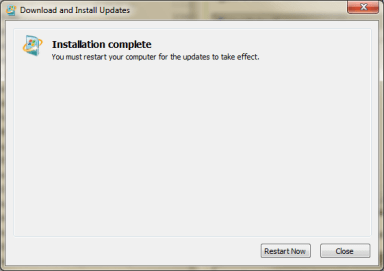
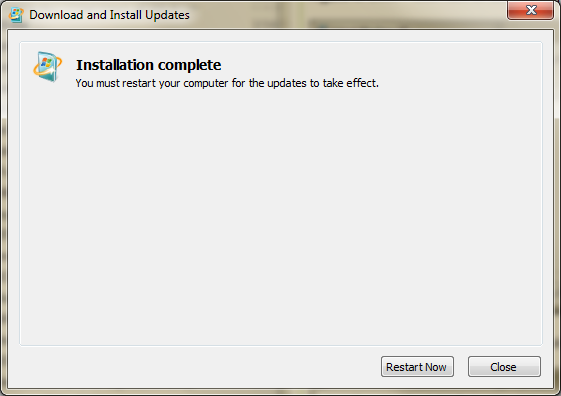
Figure 4. Aww, we have to restart. Be back in a few…
Ok, Windows Virtual PC is now installed, as you can see in the following figure.
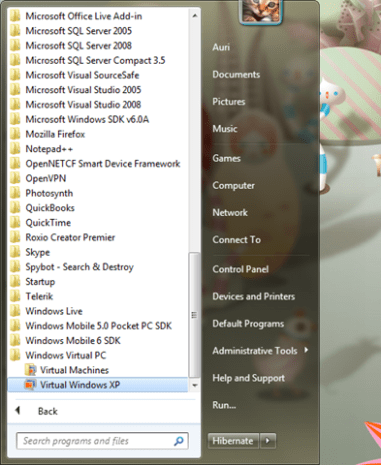
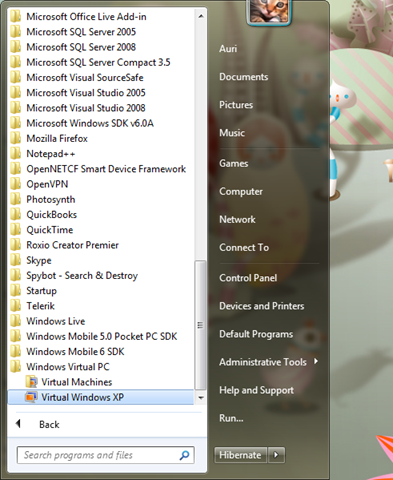
Figure 5. Windows Virtual PC is installed. w00t!
Note: I, umm, accidentally installed the following XP Mode installer *first*, so my apologies if your experience in the Start menu is a little different at this point. No worries, though, I’m sure everything will turn out just fine. <wink>
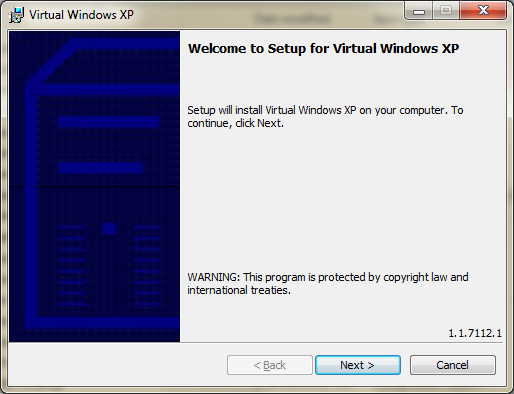
Now it’s time to install the pre-configured hard disk. Oddly enough, it’s called “Setup for Virtual Windows XP”, although it’s really the second step of a two-step process.
Suggestion to Virtual Windows XP team: Include Windows Virtual PC with the installer, basically making this an all-in-one package. I.T. administrators don’t want more installers. We want less 🙂 (for once!)
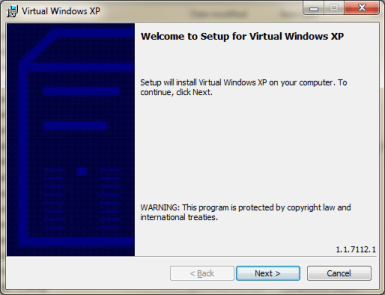
Figure 6. Umm – click Next to continue. Typical.
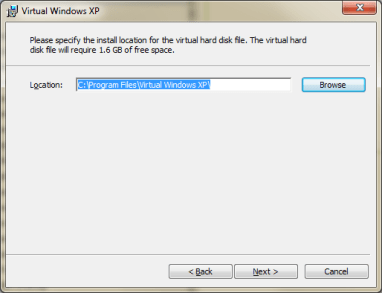
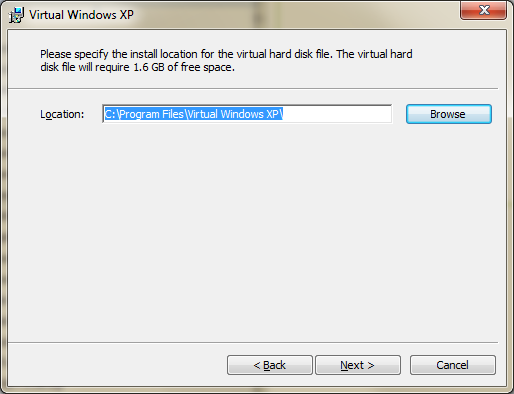
Figure 7. Choosing where to install. Typical.
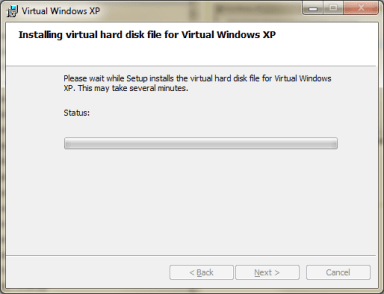
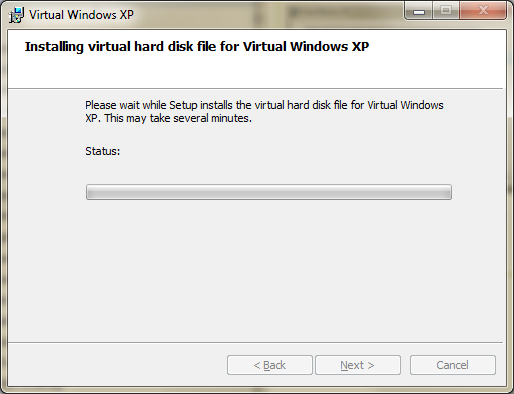
Figure 8. It’s extracting the virtual hard disk (VHD) file for the virtual Windows XP instance. Expected.
(no figure). Uh-oh. UAC kicked in. That’s OK – I’d expect a new Windows 7 feature to ask my permission. UAC isn’t really annoying in Win 7 – it’s actually OK to keep it on. UAC doesn’t let you copy to your clipboard, but that’s a bit expected, considering it’s a protected environment.
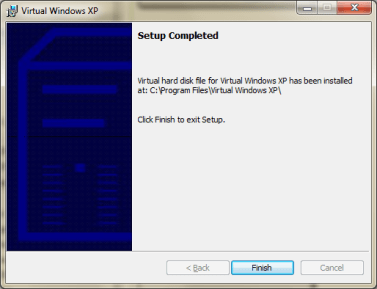
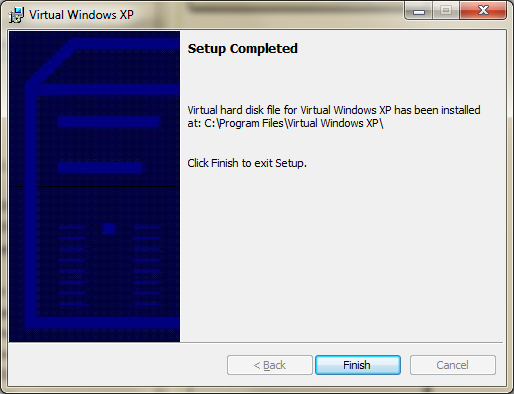
Figure 9. Windows XP mode has been installed. Oddly enough, it tells me the virtual hard disk has been installed. It mentions nothing about XP Mode being installed, except for the window title.
Suggestion for XP Mode team: Add “Start XP Mode” checkbox at this screen, please.
Alright, let’s start this baby up!
Click Windows Virtual PC in the Start menu.
Figure 10. Yes, the same as a previous figure. But just for good measure, showing you what I clicked.
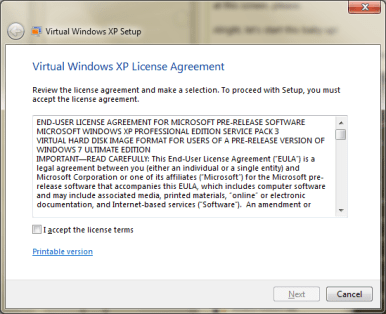
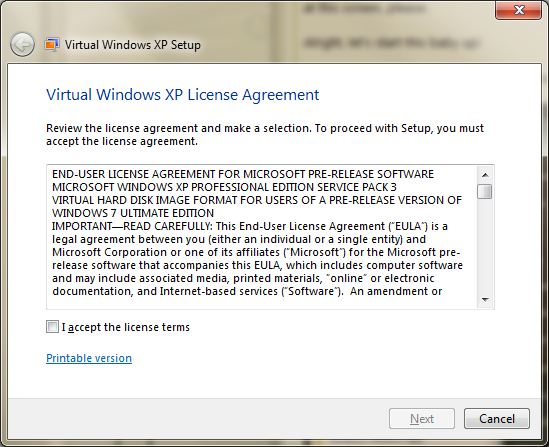
Figure 11. Accept the EULA.
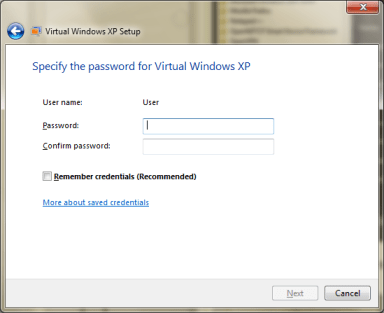
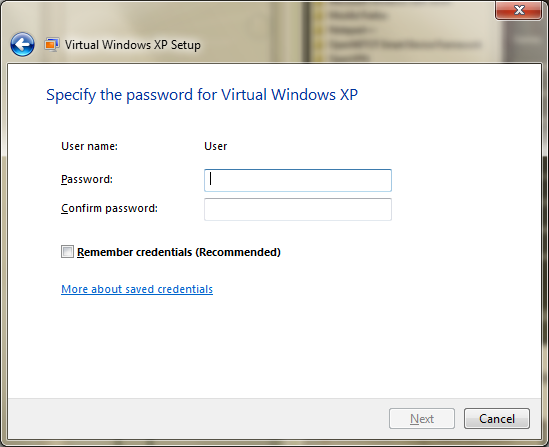
Figure 12. You have to set your credentials. Umm, the username is, well, uhh, User. I wish I could set it to something else. I.T. admins are going to ask for a change here, possibly… since this may have repercussions on domains.
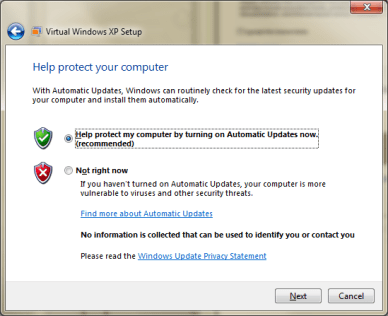
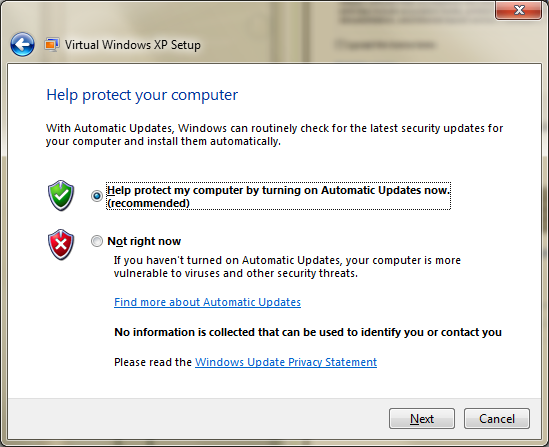
Figure 13. You’ll have to configure Automatic Updates. Shouldn’t this be on by default?
Suggestion for Virtual XP Team: Have an Express setup option to make this faster.

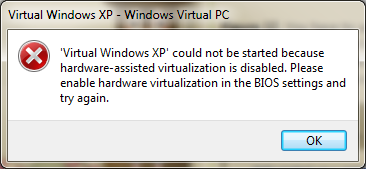
Figure 14. I got sooooooooooo far, and then it wouldn’t run. Well, this sucks. Virtual PC ran without hardware virtualization. Why can’t this version? Anyway, doesn’t mean it won’t run … just means I have to go change the setting in my BIOS. Angry Auri!
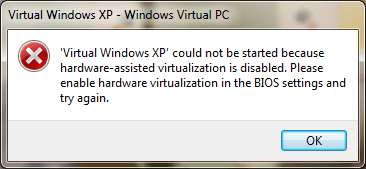
Figure 15. Umm, yeah. I changed the setting to enable virtualization in my BIOS. Unfortunately, Virtual Windows XP doesn’t believe me. Well, time to play with this more tomorrow… will continue in about 12 hours. Oh, before I go to bed (or drink… you choose), I want to let you know I had to go through all those config steps again. It’s annoying, but just so you know… I can see their reasons for doing it, though.
I’m going to shut down my machine, just in case I should have powered off after changing my BIOS setting.
Using Windows XP Mode
[12 hours and many zZzZs later]
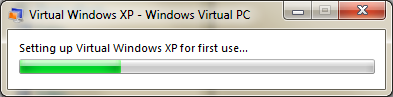
Alright, I’m up. This time I took a different approach and selected Virtual Machines from the Windows Virtual PC folder and double-clicked the Windows XP virtual machine. Seems to be working! It looks like shutting down and restarting again may be what fixed my problem. It appears Windows Virtual PC is setting up Windows XP for first-time use. Good!
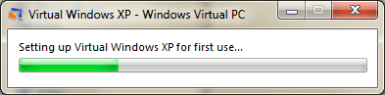
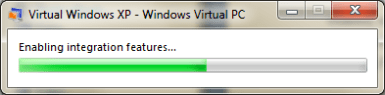
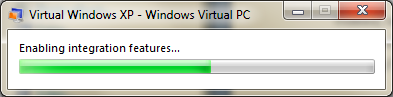
Figure 16. Virtual Windows XP configuring itself. I wonder if there is a way to come up with other virtual machine auto-configurations. This would be helpful for running other OS’ on top of Windows 7. Hmmm!
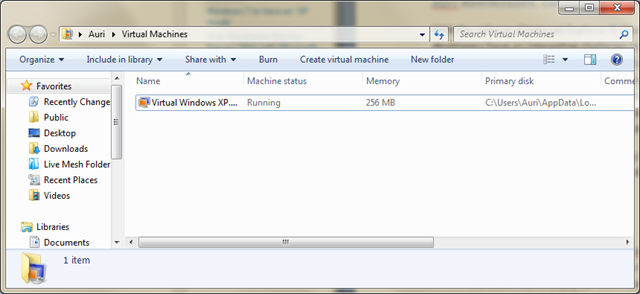
Note the My Virtual Machines folder. This is cool – it tells you the running state of virtual machines. Nice touch! I wonder if this will make it into Windows 7 Server … probably.
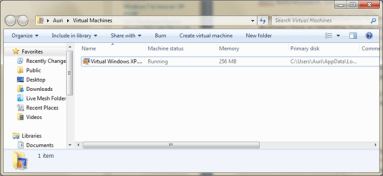
Figure 17. “My Virtual Machines” folder.
Suggestion for Windows 7 Team: Why did you add the “My” back in to all the main folder names? We have My Documents, My Videos, and so forth. They were gone in Vista. This should be an option you can disable because I’m used to the other way after having used Vista for two years! Now my keyboard shortcuts for accessing folder names don’t work anymore 😛
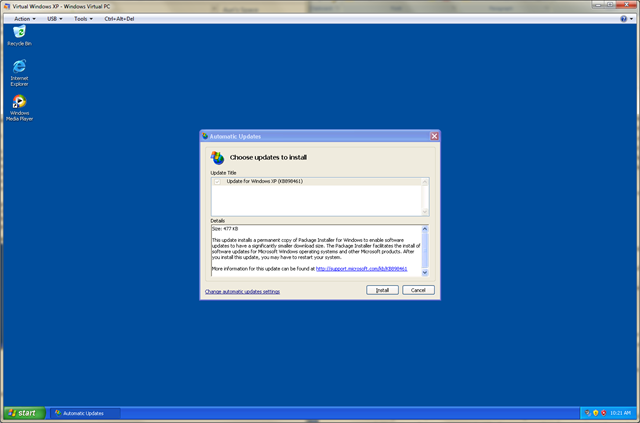
Ok, Windows XP has started up (see Figure 18)! Interestingly enough, there’s no antivirus software in there. I was also greeted with Windows Update letting me know there’s already an update available. Cool, let’s try that out (see Figure 19).

Figure 18. Virtual Windows XP is up!
Note: If you want to get free antivirus, go to www.avast.com and download the Home edition. It works great.
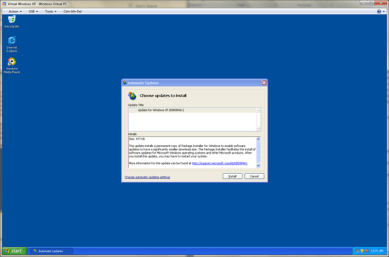
Figure 19. There’s an update available. KB898461. It does not require a restart.
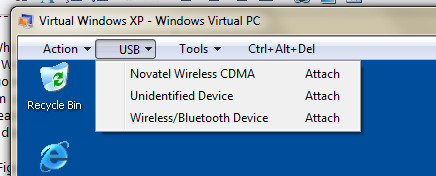
This new version of Windows Virtual PC supports USB devices (see Figure 20). Cool! Now I don’t have to pay for VMWare to get that feature 🙂
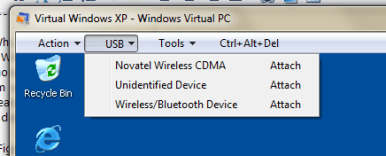
Figure 20. USB support. Finally!
A few notes about XP mode:
- IE 6 is installed by default. Specifically, 6.0.2900.5512.xpsp_sp3_gdr.090206-1234.
- Everything’s very snappy and responsive.
- You can dock Virtual Windows XP and it will resize appropriately. Cool.
- It does not appear that all clipboard functionality works when in “full” Windows Virtual PC mode. For example, I tried Alt-Print Screen to get some dialogs into this blog post and they didn’t come through. The Start key also wasn’t caught. However, in “fusion” mode, where you launch apps from the Start menu, Clipboard appears to work fine!
- Full screen mode is accomplished by maximizing the window.
 + Up Arrow accomplishes the same, but does not toggle back.
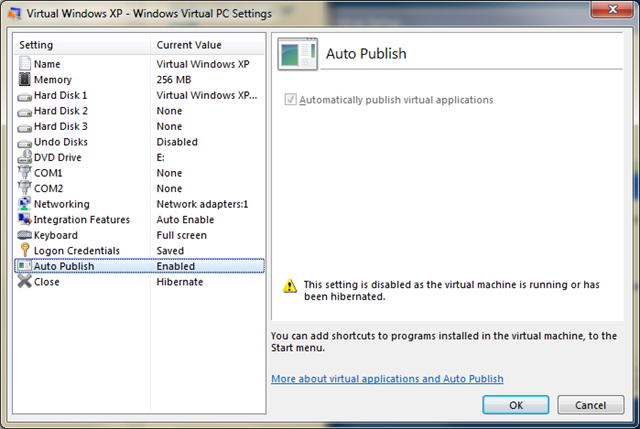
- You can have programs installed in XP Mode “auto publish” to your Windows 7 programs menu (see Figure 24). That’s cool. This feature is enabled by default.
- Once an application is installed, you can launch it right from the Windows Virtual PC menu and it runs like any other app (more on that in a bit).
- The default amount of memory associated with the virtual machine is 256 MB. I.T. admins may want to expand this for resource-intensive apps, but it’s probably fine for the most part.
- You can assign COM ports to physical serial ports, text files, or named pipes. This may be helpful for legacy hardware.
- The .NET Framework is not installed by default. Make sure you install this if you have .NET apps to run (you probably do!).
- Internet access / Network access appears to work “out of the box,” with no special configuration required for a DHCP connection. I was connected via wireless and was able to get online instantly.
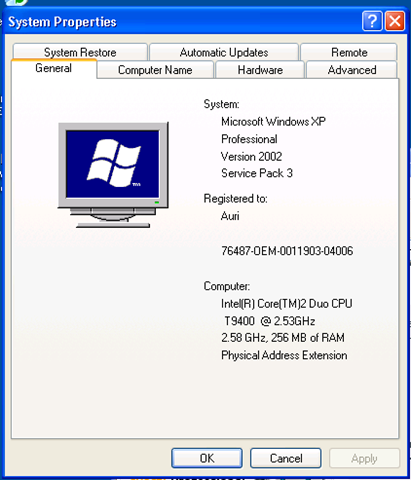
- The processor used for the virtual machine appears to be the same processor on your machine, instead of the generic processor used in Virtual PC. You’ll see below my Core 2 Duo T9400. This is nice, but may have an impact on multi-platform deployments where disk images are used. Feedback on your experiences here would be appreciated.
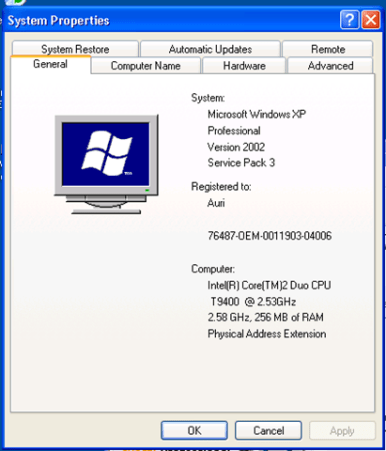
Figure 21. It’s Windows XP SP3.
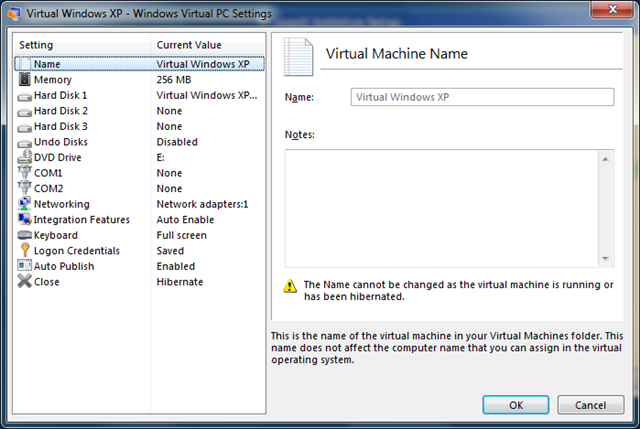
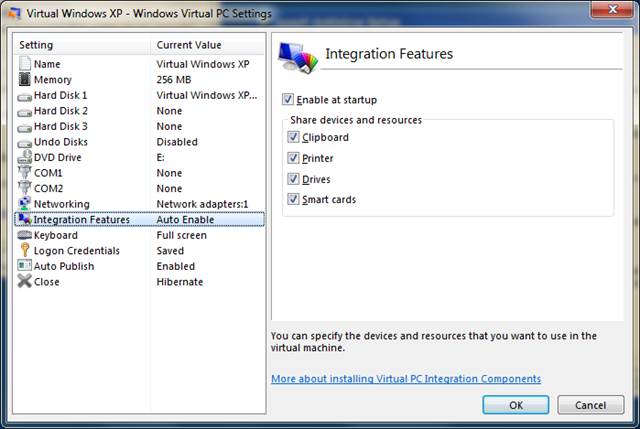
Now it’s time to explore the settings (see Figure 21) and integration features (see Figure 22) of XP Mode. These are accessed from the Tools menu of the window.

Figure 22. The Virtual Windows XP virtual machine settings box.
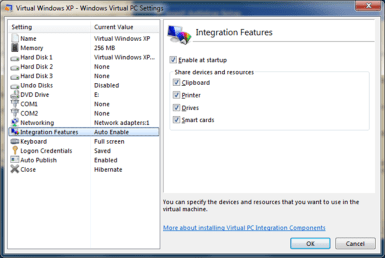
Figure 23. The Integration Features settings.
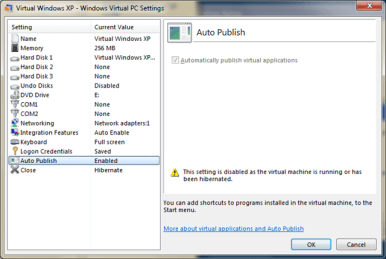
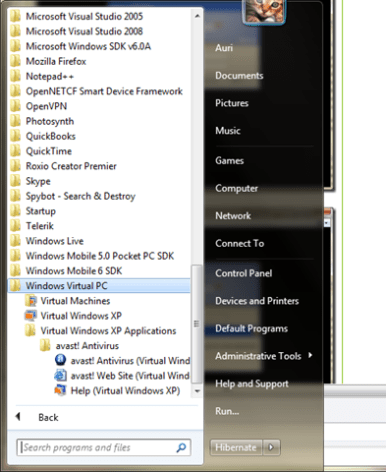
Figure 24. Auto Publish mode lets XP Mode integrate installed programs into the Windows 7 programs menu. Items are placed in the Windows Virtual PC folder.
I installed antivirus and had to restart… Let’s see what happens on a boot-time scan.

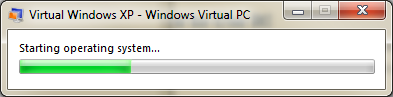
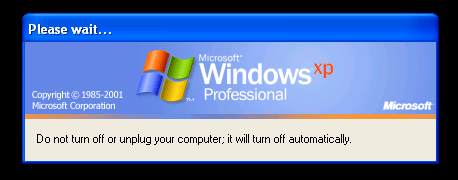
Figure 25. OS startup progress bar. Note that I don’t see the text that would normally appear on the boot-time scan. I wonder if there is a way to override this to see what’s actually happening.
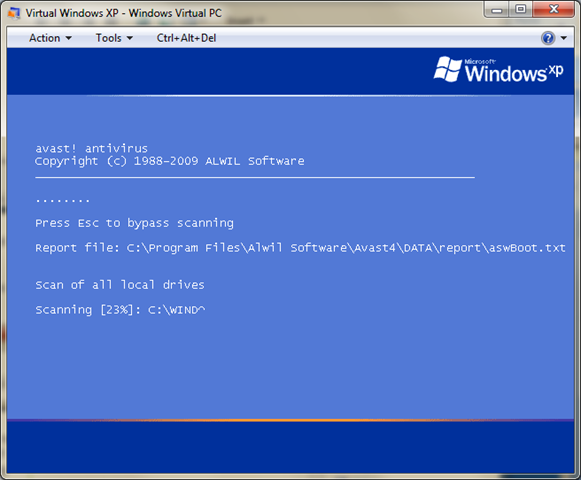
After restarting, I received an error message that Integration Features could not be enabled (see Figure 26). I wonder if the boot-time scan broke it, or if it was the antivirus – the only thing I installed. I clicked Retry and it restarted the operating system and that didn’t work. I clicked Continue and saw what was causing this… my boot time scan from Avast antivirus (see Figure 27).
Note to I.T. Admins: A boot-time chkdsk will probably cause this problem, too.
Note that, with integration features off, Windows Virtual PC “captures” your mouse if you click in the window. You can press the “right” Alt Key and it should release the mouse. However, for some reason, that didn’t work on my Dell. Pressing the Windows key or Alt-tabbing to another window worked, though…
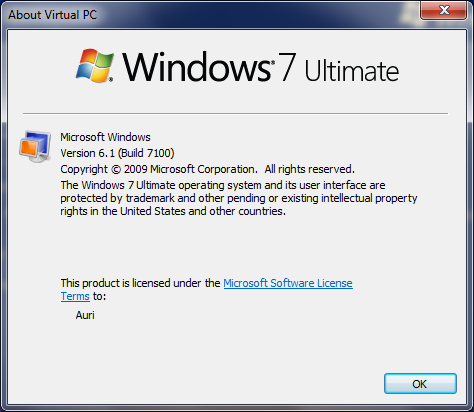
While waiting for the looong scan to take place, I snooped around the help area. I found “About Virtual PC” instead of “About Windows Virtual PC.” Also, has anyone noticed Windows 7 points out that its interface is trademarked? I don’t recall that in earlier versions of Windows (see Figure 28). I wonder if Microsoft is going to be more aggressive in protecting its UI innovations.
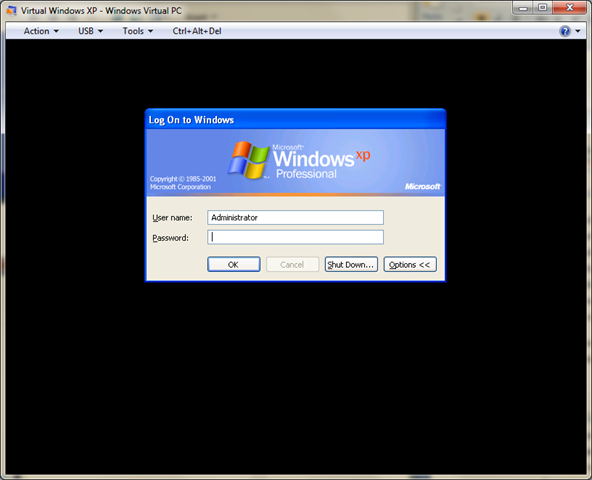
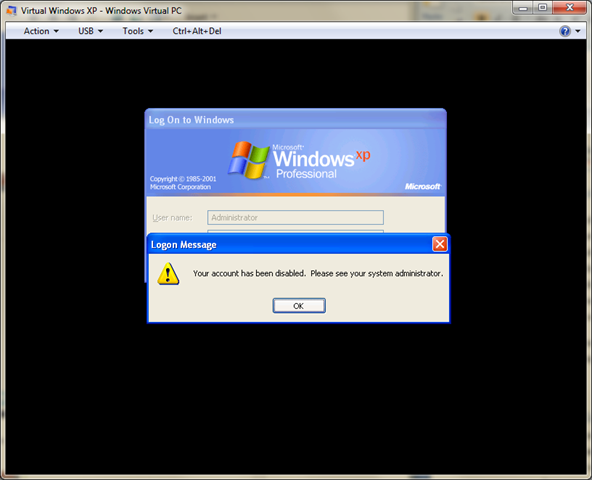
After the scan was complete, I was brought to the Windows login screen. Normally this is bypassed. FYI, this appeared to be a workaround to login as an administrator (see Figure 29). Unfortunately, when I tried to log in, I found out the administrator account had been disabled.
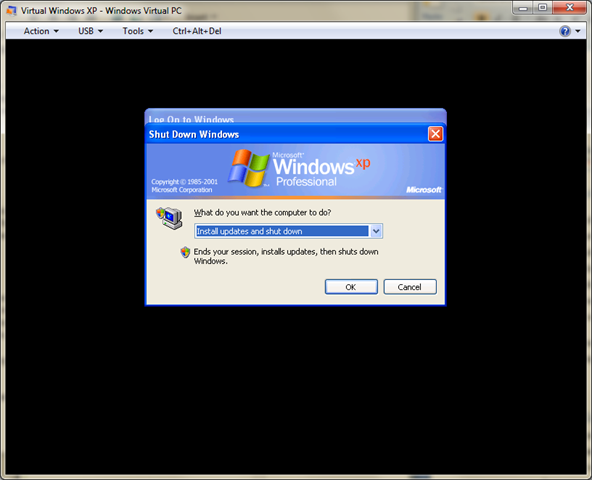
I decided to shut down so I could see if Integration Mode would re-enable, and was surprised to find XP wanted to update again.
Anyway, I restarted and integration mode worked just fine.
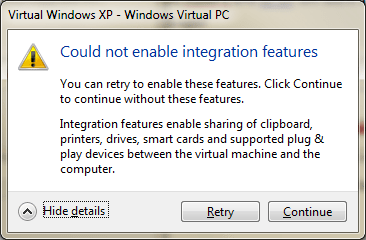
Figure 26. Apparently something broke my integration features.
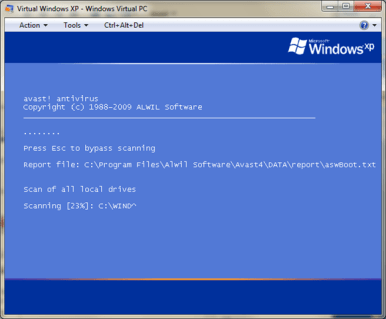
Figure 27. I.T. admins beware… integration features can’t be enabled if something runs before they’re enabled.
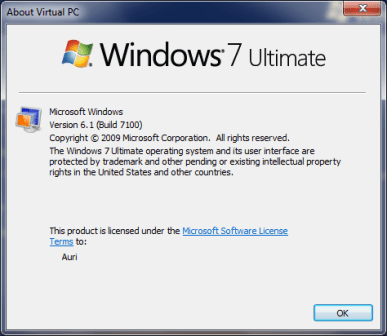
Figure 28. The Windows interface is trademarked, as stated in the About Virtual PC dialog.
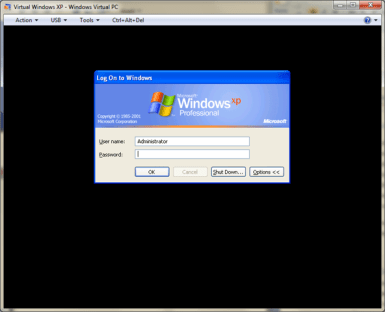
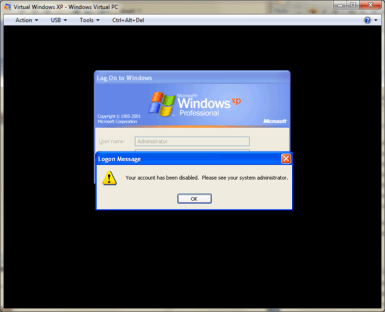
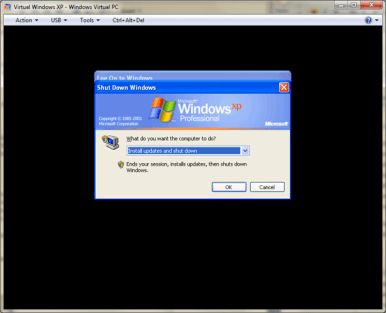
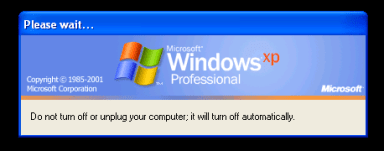
Figure 29. With Integration Features off, it appears you can log in as Administrator. However, that account is actually disabled.
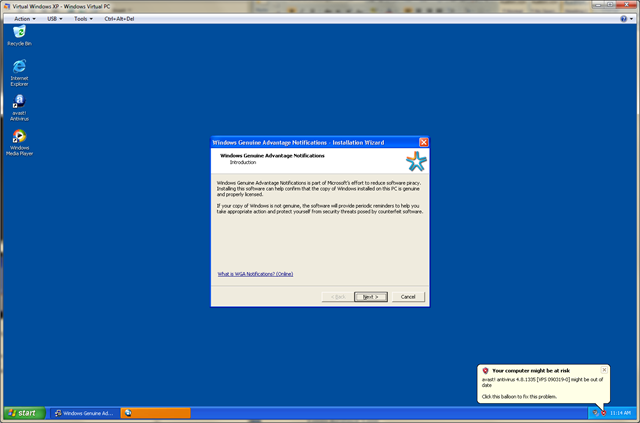
After the 6 updates were installed and I rebooted, I was greeted with the Windows Genuine Advantage (WGA) acceptance dialog (see Figure 30). Hmm.
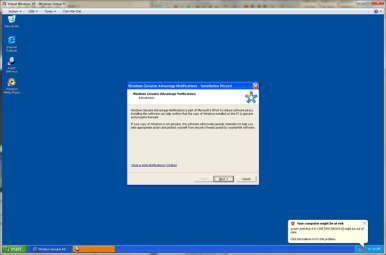
Figure 30. Shouldn’t WGA be installed, configured, and accepted by default?
Launching XP Applications from the Windows 7 Start Menu
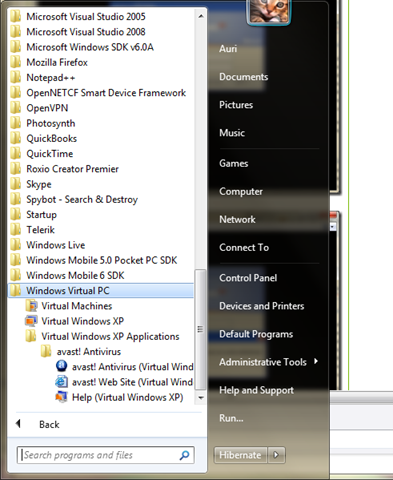
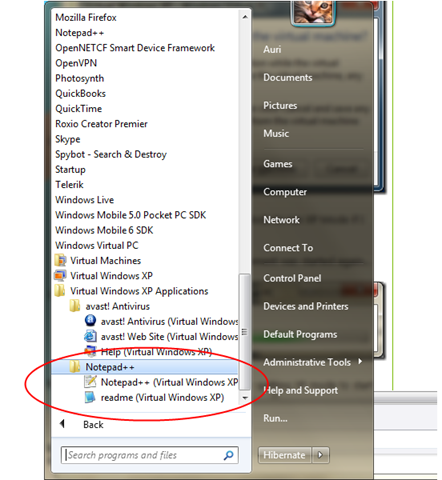
You do not need to run Virtual Windows XP in a window to use XP apps – that would be silly. Instead, to launch an application in XP mode, simply select the app from the Virtual Windows XP Applications program group in Windows 7, as shown in Figure 31 and the app will start right up.
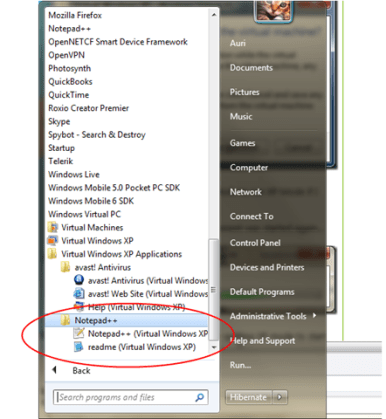
Figure 31. The Virtual Windows XP Applications program group shows all the programs you have installed in XP Mode. Note that this does not include applications you have not installed yourself, such as any default software like Notepad.
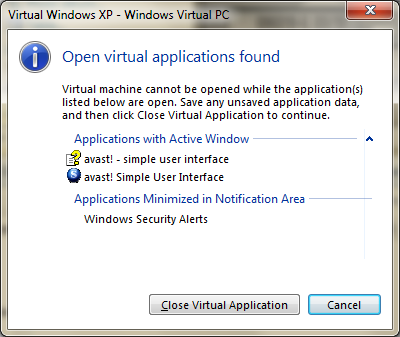
Slight Gotcha: You would expect that, if the XP Mode virtual machine is running, you should be able to just run applications from your Windows 7 start menu and it should run in XP Mode. This is not the case, as shown in the dialog box I received when attempting to do just that (see Figure 32).
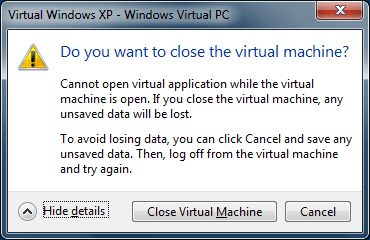
Figure 32. Huh? I have to close XP Mode to run XP Mode if I started it separately?
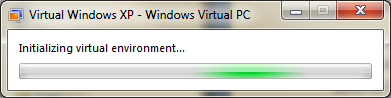
I clicked close, and the Virtual Environment was started again, but it only took a few seconds…
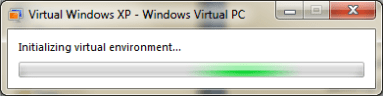
Figure 33. Starting up XP mode after quitting XP mode to start XP mode. <grin>
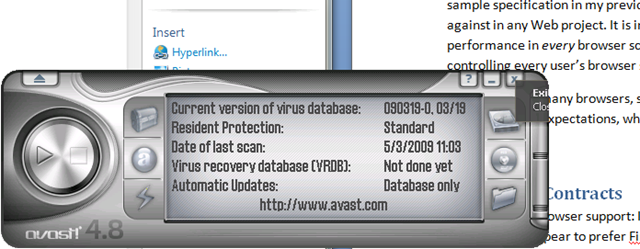
Ok, this is cool. The app DOES run like it’s integrated into Windows 7. Nice! It’s just like a regular app! Sweet! Yes, I know it’s a bit sadistic to run my XP antivirus app instead of a real app. Great way to trick people.
Note that these applications run in the XP Mode sandbox, so you may get occasional graphic glitches (see cut-off tooltip in Figure 34).
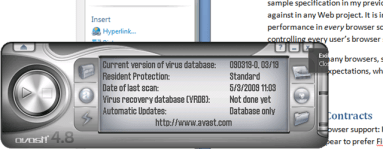
Figure 34. Running my XP Avast in Windows 7.
You cannot install software in XP mode if an XP app is running (see Figure 35). You either run the full virtual machine or XP apps. You can have multiple apps running, of course. So, make sure you do all your installations first, or you’ll just be annoyed.
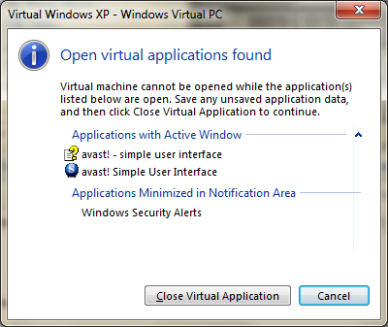
Figure 35. If you try to run the virtual machine to install software, you’ll have to quit the running XP apps first.

Figure 36. Alt-Print Screen actually worked when running an XP app by itself. Cool – I thought this was broken, but it appears to only have been a problem in “full” virtual machine mode, which you likely will only use to install applications.
Switching modes isn’t a bad experience. XP Mode keeps running, and switches modes very quickly, so there really isn’t much of an annoyance factor.
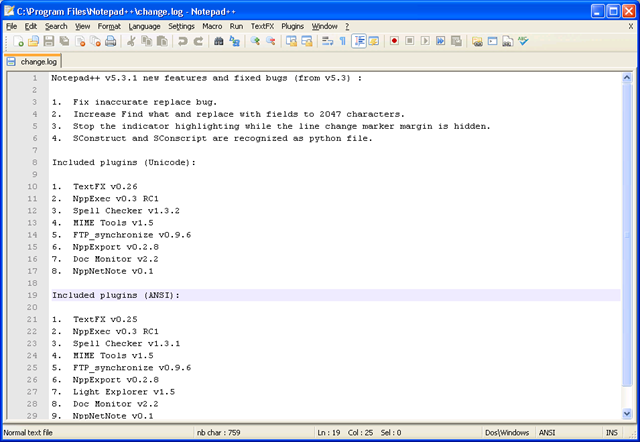
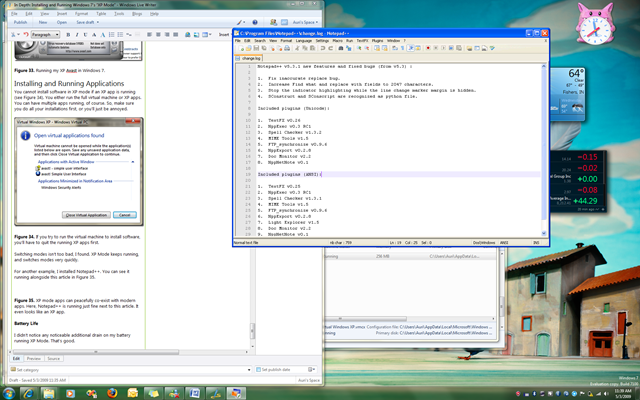
For another example, I installed Notepad++. You can see it running alongside this article in Figure 37.

Figure 37. XP mode apps can peacefully co-exist with modern apps. Here, Notepad++ is running just fine next to this article. It even looks like an XP app.
Battery Life
I didn’t notice any noticeable additional drain on my battery running XP Mode. That’s good.
Moving Forward
Overall, the process took about 2 hours to fully configure. I hope there will be a more automated way of installing XP Mode and its default legacy corporate applications. Please, please, please.
XP mode appears awesome, though. The app switching aside, the fusion of XP and modern apps running side by side is nothing short of spectacular. This is partially because, for one of the few times in software, what was expected is what has been delivered. Extending the incredible Windows 7 experience, XP mode gives corporations the bridge they need to move their people to modern systems with mitigated risk.
At this point, I think it would be good to see the feedback from the XP Mode team on their approaches to XP compatibility in Windows 7. If any of them are reading this article, I’d appreciate to a link to their blog! 🙂
Do you have comments, feedback, suggestions? Please post a reply here!
 +Left Arrow and





 In Japan, sushi is the most serious of cuisines requiring years of training and study before chefs are considered qualified to serve it. A minimum of 10 years of learning and apprenticing was considered the minimum qualification for an Itamae-San (expert chef) specializing in sushi.


 Auri's Blog