With the Surface Ultra and Surface RTX Spark announcements at Build, I saw a Microsoft returning to its development and server roots. Finally, the company that brought us IIS, SQL Server, Windows Server, Azure, VS Code, Visual Studio, and more will finally “get serving AI locally on the edge right.”
Yet the Surface videos and Build announcements gave me pause. For all the pomp and circumstance over the hardware, the software details are scant. Here’s what we see:
Windows Subsystem for Linux
vLLM
VS Code
What here projects any of Microsoft’s strengths?
This is the company that fought tooth and nail to prove they were the best server and desktop operating system combo. The best integrated IT solution for your company. The best hosting for your organization. The go-to software for productivity.
And now they say they’re offering the best solution with what? Linux and AI server software they didn’t write. Heck, they don’t even appear to be loudly committing to contributing to solutions to optimize them for Windows. Remember when they did that after open-sourcing .NET?
I’m hoping this is all a rouse — Microsoft must be working on something they can’t yet announce. Something they’ll announce with the Surface releases this Fall. At least, I hope so. They could finally be the company to “do AI right.”
For most developers, fumbling around with Ollama and LM Studio and hoping they work at least 90% of the time, is tough. We don’t want to also be IT managers managing vLLM instances. We just want AI to work, 100% of the time. Five 9’s for AI, if you will.
Argue about my being lazy as much as you want — “You just don’t like Linux” or “You just don’t understand”. No — I just want it to run. Easily selecting a model, with an AI server solution I don’t have to think much about. Even supporting an “Auto” mode, choosing the local model I need, and for larger operations, asking if I want to move part or all of my jobs to the Cloud. That’s something Microsoft can do. It’s a strength.
It could be woven into their other solutions. Native support and understanding of what Local vs. Cloud vs. “Trusted Cloud” for LLM servers from an IT and data privacy management perspective. End-to-end AI support, with local and cloud.
Because eventually somebody will do this. Because it’s needed. Because the integration of agentic development into the developer workflow will likely never be uncoupled. And there’s an opportunity now for Microsoft to own what they were built for.
Looking forward to the Surface releases to see if I got this one right. ☕
I’ve discussed this a lot on my Developer Rants channel – the cost of AI dev is likely to go up in the next 18 months, and controlling AI development costs will be, I feel, a big deal for most dev teams. This is giving rise to searches for ideal local LLM setups. NVIDIA RTX GPU in a PC or a dedicated Spark box? AMD AI or Mac Mx with unified memory? Intel ARC cards with 32-48 GB?Which model, at which quantization?
I’m still surprised to hear about “AI Leaderboards” and devs being rewarded for spending the most tokens. Never in my career have I seen management reward people for recklessly spending. Never. Even in startups with deadlines. Even in books I’ve read about Facebook. There’s also a bean counter around the corner.
So I decided about a week ago – this is May 2026, for what it’s worth when you finally read this – to drop $2,000 and build a dedicated “AI PC”. I didn’t know much about what I was doing, and it can be hard to get definitive answers. So I used Copilot – which, yes, hallucinates more often than a 1960s hipster – to come up with a spec:
AMD 7800X3D, which a huge 96 MB cache
NVIDIA RTX 5070Ti, 16 GB of VRAM, based on my thinking NVIDIA was the way to go
…installed on a board with 32 GB DDR5, a few terabytes of storage, other things mainboards come with
Spoiler alert – I returned the 5070Ti. Now that the week has passed, the high level lessons, and questions I still have, are:
Model size matters. Even models that appear “small” or “look like they’ll fit”, don’t, or fail to load.
You don’t need large models to do your work. GPT-OSS and Gemma work incredibly fast, if the host parser doesn’t die.
Windows is not taken seriously as a hosting environment.
HuggingFace is a cool site, geared towards technical people, and does not hold your hand much.
You don’t need insane speed. You need reasonable speed that gets your job done “quickly enough.”
Next time, try an AMD Ryzen AI Processor, which supports unified memory, and 64 GB
Why does everyone want to use Python?
How I Code
Now, a bit about me. There are many developers using LLMs out there, and they range from “simple prompting” to “use agents and loops for everything.” I’m not an agents guy. I enjoy prompting, reviewing the results, confirming things look good, testing, and then checking in the code when it’s ready. I’ve been lambasted for that, like it’s “not fast enough.” To each their own – you do you. I know I’m accountable for what I commit – they can’t fire the LLM – and I only have so much brain bandwidth. I don’t want to review the output of multiple agents each day. It’s too much context switching, and I know I’ll miss something. Maybe a younger brain thinks differently about these things, but I’m a bit of an “old salty dog” developer. I care about architecture and code quality. If I can get that reliably at speed, I’ll take it. But I won’t sacrifice reliability for speed.
Choosing the Host Software
My goal is local AI development using VS Code and GitHub Copilot, which supports OpenAI-compatible endpoints. So I built the rig and tried both vLLM and Ollama. Later on I learned more about LM Studio and Unsloth. I will try those in my next go-around.
I started with vLLM. It’s recommended for being significantly faster than Ollama, even though it’s not as turnkey. Later research showed Ollama has similar performance when only one user is involved, while vLLM shines for a multi-user AI server scenario.
vLLM was too much trouble on Windows. It’s probably fine on Linux. But I wanted this machine to replace my existing IIS hosting environment AND be my AI machine. I’m not switching to Linux for AI. That’s a religious war, I know. It’s already lost, though – I’m not switching. There is no vLLM for Windows, so I had to run it via Windows Subsystem for Linux (WSL), which has a GPU proxy. This has both performance and VRAM fragmentation overhead. Really, you want to be on Linux, like I said. You can see where this is going.
vLLM was easy to set up. Their site wasn’t too helpful, but the tutorials elsewhere were. The command to run a model was effectively copy & paste from HuggingFace. It would download the model and attempt to run it. The problem was I simply didn’t have the VRAM to load the models, and vLLM would unceremoniously fail. Even running the Docker versions wouldn’t solve the problem. Based on all the information provided, I should have plenty of room to run these models. Alas, I do not. Scratch vLLM.
So I switched to Ollama, a turnkey solution that runs on Windows, runs on top of llama.cpp, and is already somewhat optimized for running on PC hardware. It can even intelligently mix CPU and GPU as needed, though the performance suffers significantly if it does so.
The Test
Now it’s time to choose the model and test which works best locally. My test is a simple prompt to generate a coin flipping website:
We need to create a basic React website with a single page for
flipping a coin to determine heads or tails. There should be a
single button, which triggers the coin flip. Create a coin flip
animation with the coin flipping "in the air" and then show either
"Heads" or "Tails". This should be random. Use bootstrap and be
mobile responsive. Use a calm design motif. Ask me any questions
and clarify any assumptions. Perform an adversarial review when
you complete.
I tried the following models:
Gemma 4 – Google-provided model based on Gemini
Gwen 3.5 – Open source model
GPT-OSS – OpenAI model based on GPT, 4B quantization
Gemma 4 was insanely fast. I was super excited, because code was being churned out quickly, and things felt similar to cloud services. And then I hit a snag. I was monitoring the GPU usage on the AI server while writing code on my laptop. VS Code just hung there, waiting for a response. The AI Server appeared to be “doing something” but nothing was happening. And this is where the turnkey solution of Ollama seems to break down.
You see, Ollama’s dev team decided to build their own “parsers” for each model. Rather than using the one that’s built-in to the llama.cpp runtime it’s based on, they go their own way. The problem here is, well, bugs. And there’s a reason Ollama isn’t at v1.0 – it’s still in progress. It’s still incredible for what it does, but it’s buggy. It’s free, too, so you’re at the mercy of the priorities of their dev team, which may want you to use their cloud service more than local inference.
The problem ended up being a “`” character Ollama simply couldn’t parse. A few Ollama updates came out over the course of the week, and none of them fixed the problem. So, I had to finish the coin flip with a different model. Bummer – Gemma was so promising. If vLLM would run it properly, I’d probably not have returned the GPU.
I did finally get Gemma over the hump by letting Sonnet finish the CSS and then continuing with Ollama. That’s a real benefit with the local LLM setup. Let the cloud services handle the “hard work” with some token usage. Then switch to your local model for most of the grunt work, effectively for free. It’s a significant value proposition, if you can get it to work.
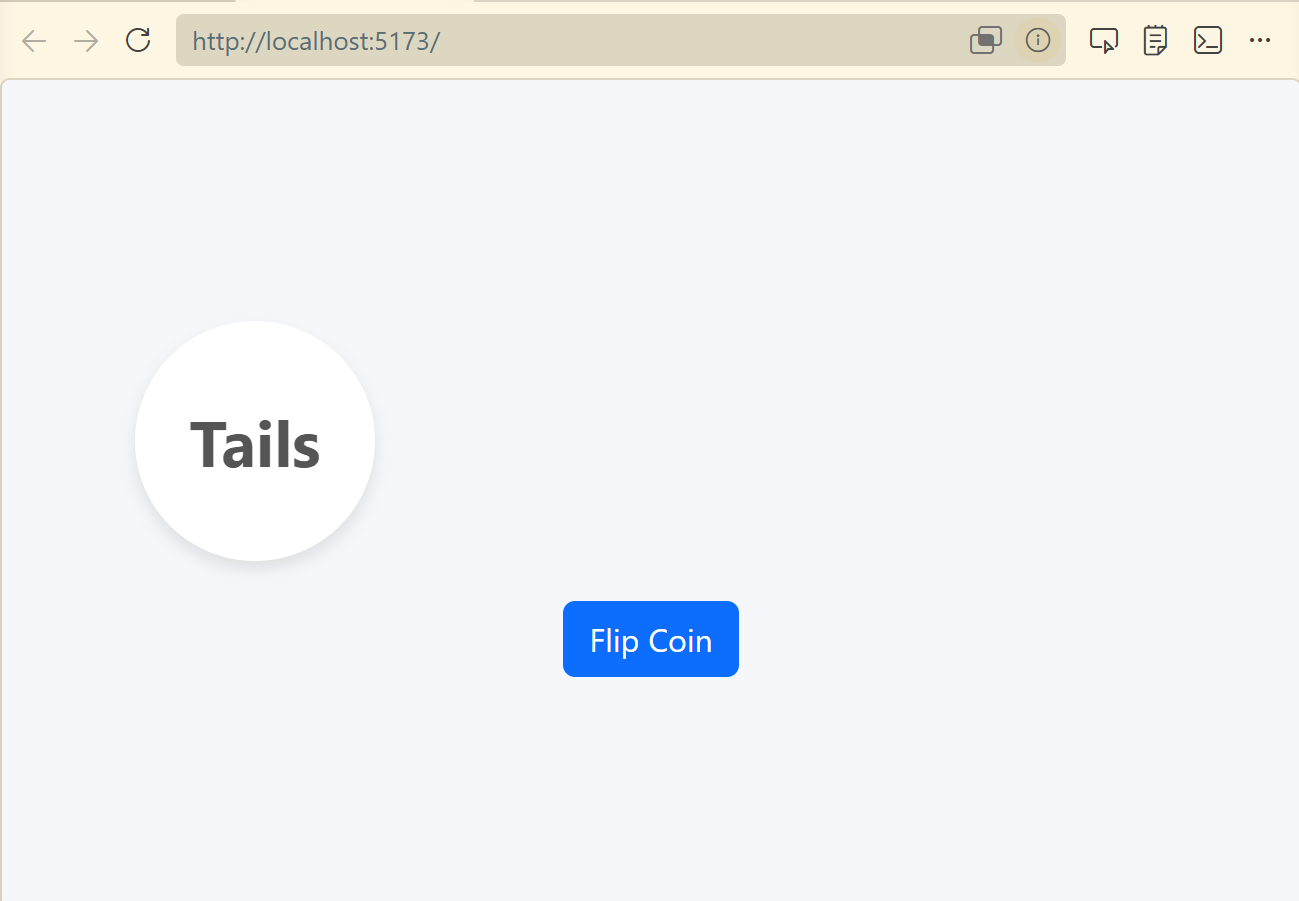
Gemma finished the rest of the work. Here we go:
Gwen 3.5 was too slow. I gave up waiting for responses. Not enough VRAM, and CPU offloading was simply unusable.
GPT-OSS was my next go-to. It didn’t bomb on me like Gemma, and you can see its results below. It was fast enough to get work done. And that’s what we’re really looking for here – a model that works, with more expensive cloud-based models when we need the additional horsepower. I was surprised to still see it offload to the CPU, at least according to Ollama’s “ollama ps” command. Still, it performed quite well and didn’t get stuck, unlike Gemma. Sure, it wasn’t as fast as Gemma, but if you take all the process restarts into account, it was a much better, streamlined experience. Given this result, I was tempted to keep my current configuration. But seriously, one model working well? I’d be fooling myself.
Moving Forward – I’m Not Giving Up!
So I wanted to run an LLM with a relatively inexpensive card, and failed. It appears the minimum you need is 24 to 32 GB for the model, then processing time. Was this experiment a failure? Not really. It’s motivating me to try other approaches, which I’ll do and report back on.
I’m thinking the unified memory approach is much more appropriate, even if the speed isn’t on par with dedicated hardware. Solutions such as AMDs AI platform, which is similar to Apple’s Mx unified memory approach. And Apple’s Mx processors, and again unified memory. Ollama recently announced acceleration for Apple’s Machine Learning Framework on their M series processors. I’ll be getting results from those experiments over the next month.
Next up for testing:
Mac Studio with M4 Ultra and 96 GB RAM , on MacOS
AMD AI MAX+ 395 with 64 GB RAM, on Windows 11 and maybe Linux
For now I’m returning the 5070Ti. It’ll feel good getting $1K back.
Looking forward to giving you more updates soon!
Developer Rant Video
I also talked about this on my Developer Rant series if you’d like to watch: