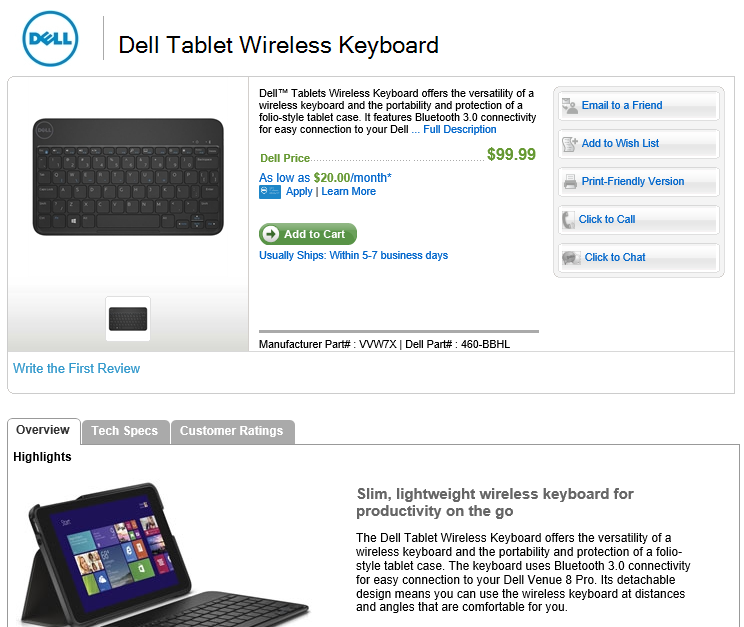
I picked up a Dell Venue 8 Pro for $99 as part of Microsoft’s 12 Days of Presents spree. Here are some tips & tricks for the more techy folks out there:

How to Access the BIOS

Press the power button once. Then hold down the Volume Down button until the Dell logo disappears. You don’t need a keyboard – it has an on-screen mouse mapped to the touch screen. Cool, eh?

To access the Advanced settings of the BIOS, follow the instructions through Step 7 below:

How to Speed Up SSD Disk Access by Modifying the EFI / BIOS

Thanks to Sasha for the following steps, which can increase speeds by over 50%!

1) From Windows, bring up the charms (swipe in from right)
2) Select Settings -> Change PC Settings, or Start, then All Apps, then PC Settings.
3) Choose Update and Recovery -> Recovery
4) Under Advanced Startup, select Restart Now
5) From this blue menu, select Troubleshoot, then select Advanced Options
6) Select UEFI Firmware Settings, then click Restart
7) Now, the BIOS shows up, hit the on-screen ESC button ONLY ONCE.
8) You’re now in the Main “tab”, with a vertical list of options, from here you must select Advanced, this lets you see all the BIOS settings and is different from hitting the Advanced tab across the top.
9) Select LPSS & SCC Configuration
10) Select SCC eMMC 4.5 HS200 Support and select Enabled (Mine was disabled by default)
12) Select DDR50 Support for SDCard and select Enabled (Mine was disabled by default)
13) Press F10 on the on-screen keyboard to save, then Save Settings and Exit and you’re all set.

Getting Back ~5 Gigabytes of Space by Removing Recovery Partition

The Dell Recovery Partition is essential for restoring your machine should something catastrophic happen. To add insult to injury, Dell often runs out of stock of recovery media, and won’t send you such after a year or two has passed. That’s hit me before, and it’s not fun. So, make sure you’ve backed it up!

Once you’ve backed up that recovery partition, there’s no point in keeping it. Get those gigs back!

Here’s how:

NOTE: Make sure you have at least 50% of your battery left for this process. I wouldn’t do this when hitting the lower ends of the battery spectrum.

  1. Go to All Applications and scroll all the way right to the Dell group. Tap the My Dell application.
  2. Click Backup, even if it says no backup software is installed.
  3. Click the Download Local Backup button. This will provide a link to download Dell Backup and Recovery, which you should download and install. Basically, once you click the Download button, select Run and wait for Setup to do its job. This process can take a long time. Even the download appears to be huge. It’s probably downloading the latest recovery data, but that’s just a guess.
  4. After the software has installed, it will request a restart. So, restart the tablet.
  5. Go to All Applications and back to the Dell group. Note the new Dell Backup and… option. Tap it.
  6. Wait a few moments for the cool clock animation to complete, then agree to whatever terms are presented, or not.
  7. Tap the Reinstall Disks option. This is the equivalent of a Factory Restore partition backup.
  8. Tap USB Flash Drive, which is probably the only real option you have with this unit. This includes use of the Micro SD card, which is what I used, since I didn’t have a USB adapter handy. If you decide to use an external burner, that’s cool, too. But… why?
  9. Select your USB drive, or the MicroSD card. I backed up to an 8 GB MicroSD. Dell estimates the backup at 4.03 GB, so 8 GB should suit you just fine.
  10. Tap Start, then tap Yes when asked if you’re sure about wiping out the USB or MicroSD drive. Of course you’re sure! (right?)
  11. Wait until it’s done.
  12. When it’s complete, click OK, and put the backup media in a safe place. I put it in my Venue Pro’s box.
  13. Go back to Start, then All Programs, then Desktop.
  14. Hold down on the Start button and select Command Prompt (Admin).
  15. Type diskpart to launch the Disk Partition manager.
  16. Type list partition to see the available partitions.
  17. Type select partition X, where X is the number of the approximately 4 gigabyte recovery partition. On my Venue, it was 6.
  18. Make sure you see “Partition X is now the selected partition”!!!
  19. Type delete partition override and hit enter.
  20. You should be greeting with “DiskPart successfully deleted the selected partition.”
  21. Type exit to quit DiskPart, then exit again to quit Command Prompt.
  22. Now that the partition is gone, we need to expand the size of the main partition.
  23. Open an Explorer window and long press This PC, then select Manage.
  24. When Computer Management appears, select Disk Management under Storage.
  25. You should see the 4.64 gigabytes or so we freed up showing as Unallocated.
  26. Long press your C: drive and select Extend Volume….
  27. The Extend Volume Wizard appears. Click Next.
  28. You’ll be asked where the space to extend the volume should come from. Everything should already be filled out to assign the maximum unallocated space. Simply tap Next or adjust as desired and click Next.
  29. The wizard will confirm the extension settings. Click Finish.
  30. There you go! Your C: drive is now almost five gigabytes larger!

UPDATE: You can also back up to a USB drive by acquiring a USB OTG, or “On-The-Go”, adapter. Pick one up from Fry’s, SKU number 7582626, here. This will also enable you to use thumb drives and such on your Dell Venue 8 Pro.

Disable the Annoying Backlight

Dell’s power management settings for the backlight are wretched, making the display dim almost all the time. Let’s get around that, shall we?

  1. Swipe out the charms menu, then select Settings, then Change PC Settings on the bottom.
  2. Select PC and devices.
  3. Select Power and sleep.
  4. Set Adjust my screen brightness automatically to Off.

I recently upgraded my home theatre receiver to support 3D. As part of the process, I had to unplug all my HDMI cables and move them to the new receiver. Much to my chagrin, after I powered on the new receiver, only one out of four devices worked. They were all connected with HDMI, and they all worked with the previous receiver.

After a bit of research, I realized those devices that weren’t working had their cables backwards. Yes, the act of simply using the other side at each end brought my video back to glorious life.

Apparently, this is normal with HDMI cables supporting Audio Return Channel, or ARC, a new feature of HDMI 1.4. Apparently with HDMI 1.3 it didn’t matter. Below is a link to an explanation.

http://www.hdmi.org/manufacturer/hdmi_1_4/arc.aspx

I hope this saves you a lot of wasted energy and frustration! Smile

Many developers have had that “labor of love” project – the kind that keeps them up nights trying to get everything right, figuring out how to pass that one last hurdle. Woz was no different, and the recently open-sourced code – for non-commercial use, of course – brought back memories of the days he worked on it so long ago, finishing in Vegas no less.

Some of you know I used to work for Steve, so I reached out to him with a link to the his code

Here’s his response:

On Nov 13, 2013, at 8:04 PM, ʞɐıuzoʍ ǝʌǝʇs wrote:

The MOST AMAZING code of my life…I could never do anything close to this much ‘out of any box’ stuff ever again…it was as amazing to come up with it as it seems to be reading my code. In some places I put numbers like (5) meaning that 5 cycles would be taken by that instruction – I had to count them all so the loops always sent a byte to the controller every 32 microseconds exactly. And there is no way to explain the 5-bit and 7-bit stuff but it extended the data from 13 sectors to 16 sectors. The 13-sector version was running in Las Vegas. The improvement to this 16-sector code is the part that I worked on every night for a month, nearly finishing each night around 2 AM (Denny’s milkshake) but repeating the whole process the next day because I had to keep getting the entire huge framework in my head each day. Finally I stayed one night until 6:30 AM and got it totally done. Jobs had been asking me every day when it would be done and that morning I told him that it was! This part of the low-level disk code was not Randy’s but I am so thankful for the parts he did so well too that made higher level sense out of this. I consider this code to be more like hardware than software.

TV Asahi covered the CEATEC show and its Innovation Awards panel, of which I’m a member. Apologies for the noisiness… I don’t get an official copy for a few weeks, so I recorded it from the TV in my hotel room Smile

I had the unique opportunity to try the prototypes of the abovementioned personal transporters. The Winglet is similar to the Segway, yet smaller, made with much more plastic, and with a slightly different steering system. The Uni-cub is targeted towards indoor transport, such as for the elderly, and you move by shifting your weight, similar to the Segway again, but in the sitting position. Enjoy the videos.

Riding the Toyota Winglet

Quite the day… have a look!

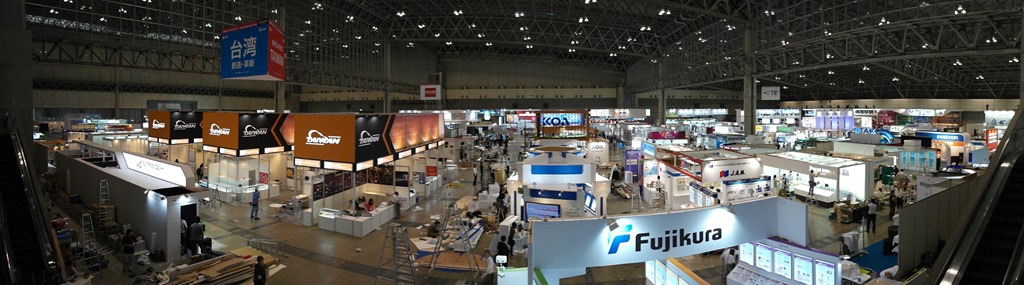
Below are my notes from Day 1 of the CEATEC show in Makuhari, Japan.

SAM_8159

Sony Info-Eye + Sony Social Live

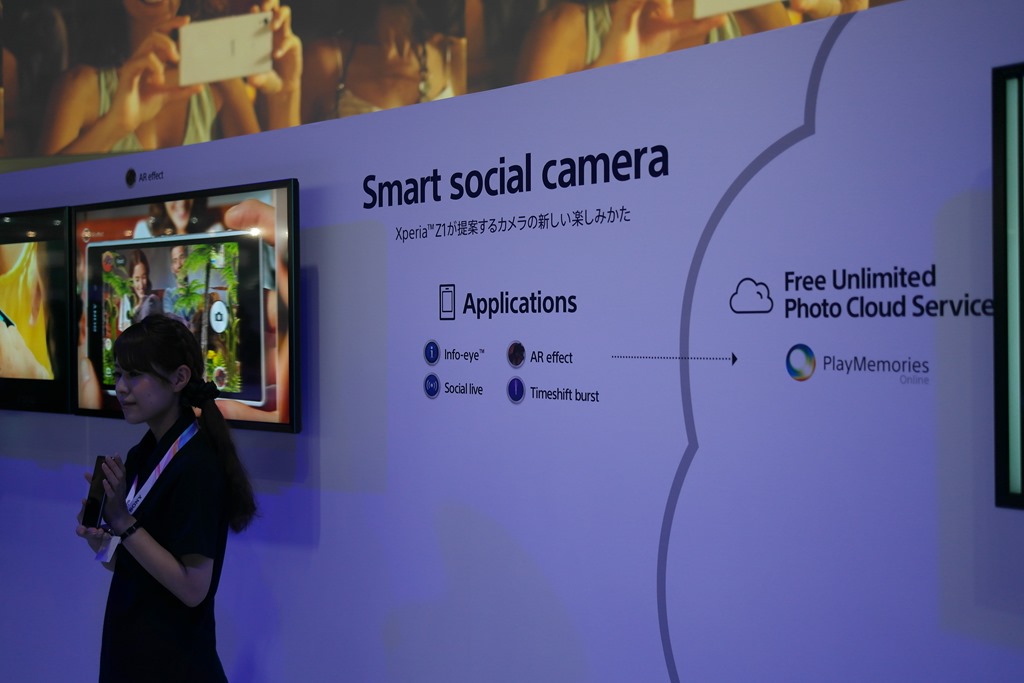
Sony showcased two unique social apps, Info Eye and Social Live, part of their Smart Social Camera initiative.

SAM_8244

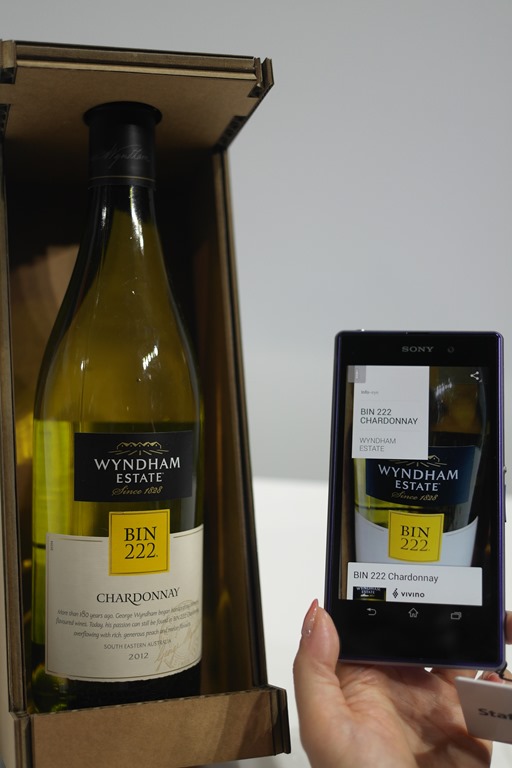
Info Eye takes an image and analyzes it for different types of information, surfacing that information in different views. For example, take a photo of the Eiffel Tower and you are presented with different "views" of the data. The first view may be related photos of the French attraction, such as a view from the top, or the Eiffel Tower Restaurant. Change views and you’re presented with a map of Paris. Continue to the next view and see your friends’ comments on social networks about the attraction. It certainly is an innovative approach to automatically get benefits from simple photo taking – photos you normally wouldn’t look at again anyway.

A video is worth thousands of pictures, and you already know what those are worth:

And in case you simply want a picture:

SAM_8249

Social Live is like a live video feed, streamed from your phone to various social services. While the example of a live marriage proposal wasn’t so realistic, Social Live still has great consumer applications. For example, set a social live link on Facebook and your friends could view your video feed while you tour the Champs Elise in Paris, without your needing to initiate a Skype call. It’s similar to having a live broadcast stream ready to go at any time.

3D 4K Everywhere!

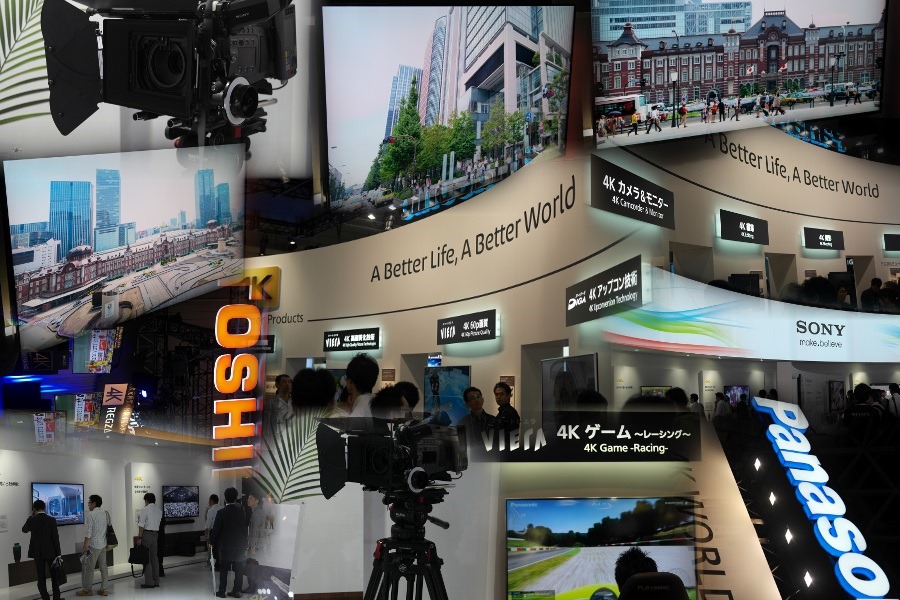
3D didn’t entice the world – again – so, why not re-use all that marketing material, swapping 4K for 3D? No, it’s not that bad, and 4K is beautiful, but it’s just too early, too expensive, as is almost every evolutionary technology like this. Just for fun I  made a collage of the various offerings. Component innovation is once again creating products at a pace greater than the consumers’ willingness to adopt.

4K_AutoCollage_12_Images

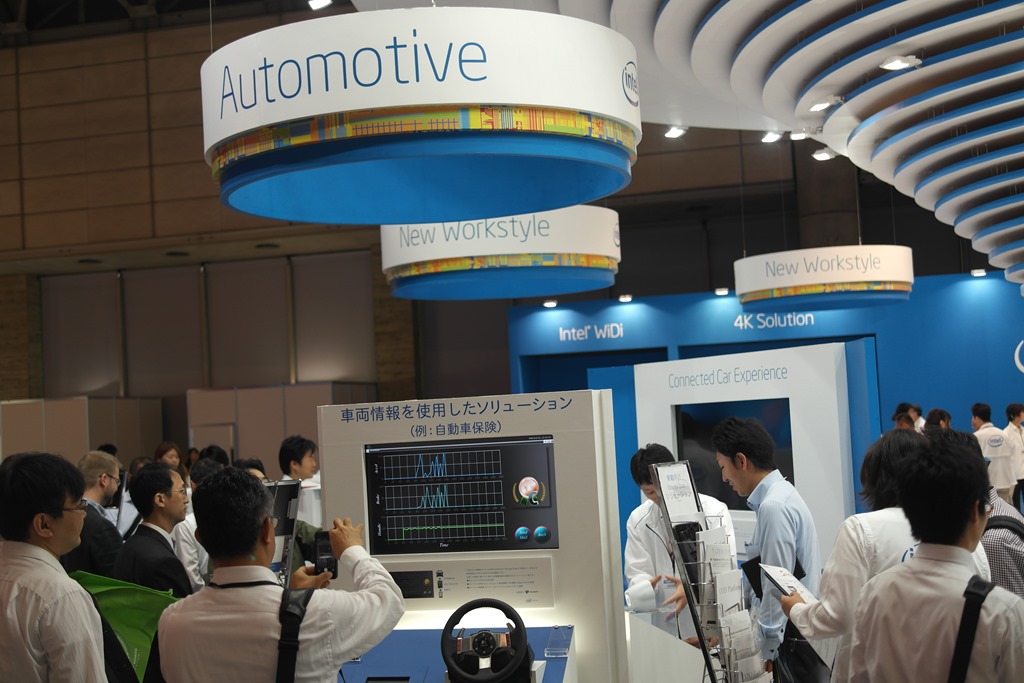
Tizen IVI Solutions at Intel

Intel had a sizeable display of Tizen OS based In-Vehicle Infotainment solutions at its booth. Apparently Intel had 800 developers working on Tizen while partnered with Nokia on the OS-formerly-known-as-MeeGo. The most interesting Tizen demonstration was Obigo’s HTML5-based IVI solution. On a related note, Samsung is apparently folding their Bada OS into Tizen. It will be interesting to see whether it makes any difference in the global mobile OS movement, still dominated by Android, then iOS, then Windows Phone.

SAM_8250

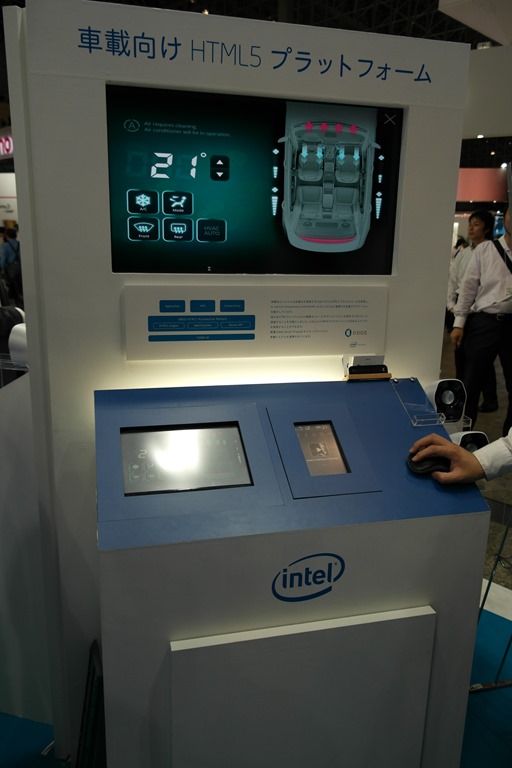
Obigo’s HTML5-based In-Vehicle-Infotainment Solution

Obigo’s solution is to automotive application development what PhoneGap is to standard mobile application development. Developers build widgets using HTML5 + JavaScript, accessing vehicle data and services via an abstraction layer provided by the Obigo engine. Apps in Obigo’s system are called widgets. Nothing appears to prevent Obigo from bringing this solution to Android, so look for that possibility on the various Android vehicle head units coming to market. Hyundai and Toyota will be the first integrators of the system.

SAM_8213

Apparently Japanese Car Insurance is Very Expensive

Another solution shown at the Intel Tizen display was a driving habits monitor capable of sending an email to your insurance company with said information. The goal would be to lower insurance rates. The solution was a hokey implementation at best, but at least I’ve learned insurance is expensive here as well.

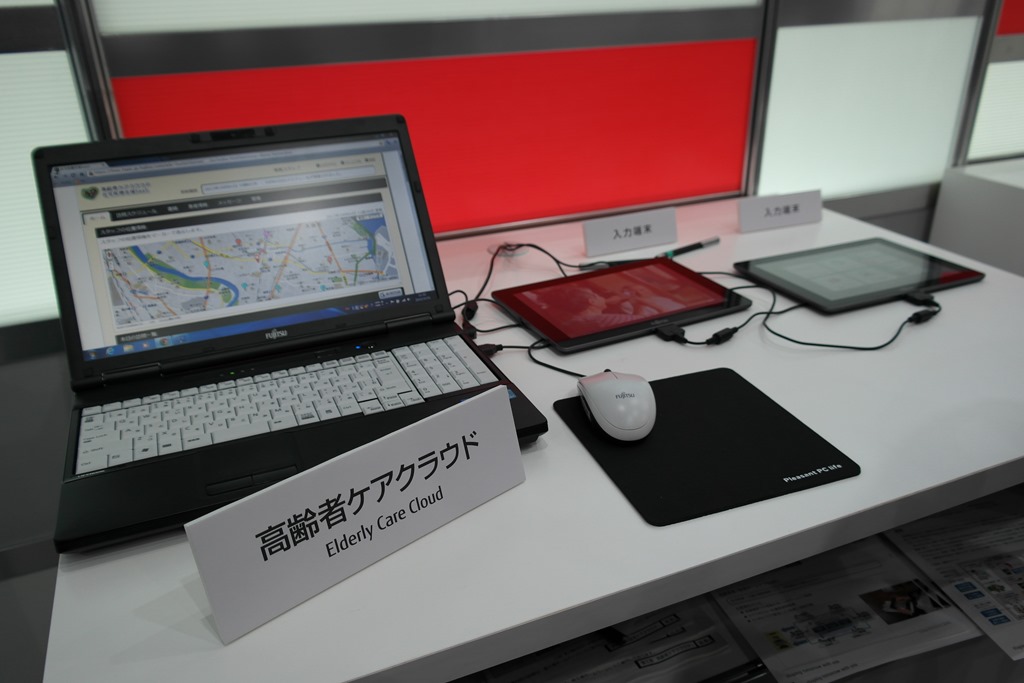
Fujitsu Elderly Care Cloud

In an effort to keep Japan’s increasingly elderly population in touch with their families, Fujitsu has created a "Senior Cloud." The benefit to seniors will apparently be video and photo communication and sharing services with their family, alongside healthcare detail sharing services. I couldn’t get a demo, but it sounds like a good idea. For the next 10-20 years, anyway – by then, the "elderly" will have become the people who know how to do these things.

SAM_8221

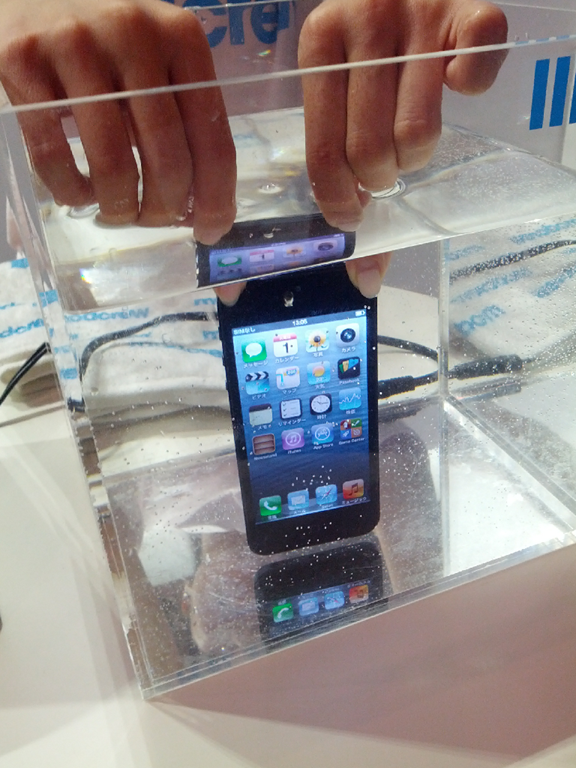
ModCrew iPhone Waterproofing Coat

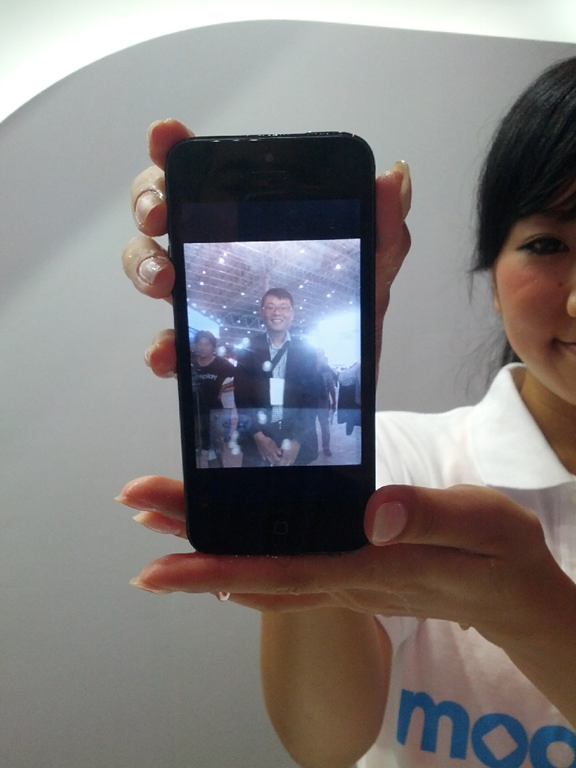
ModCrew displayed a nano-coating solution for iPhones (only), rendering your fruit phone washable.

clip_image001

clip_image002

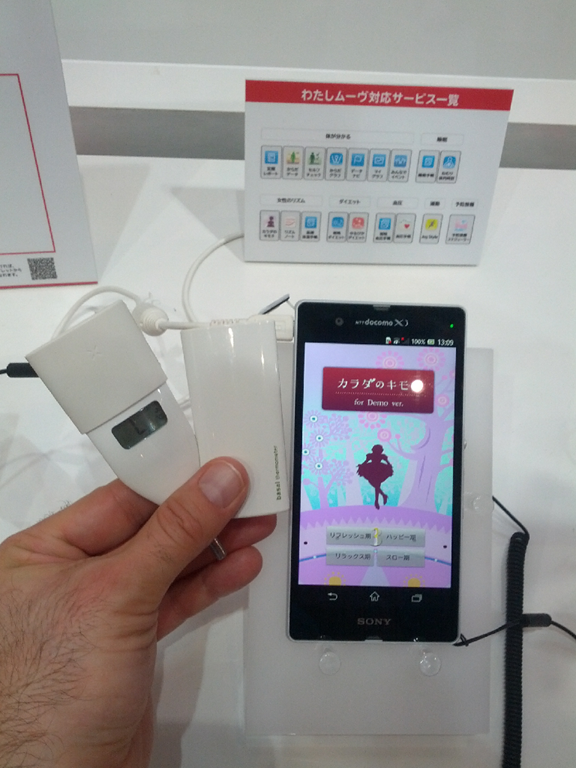
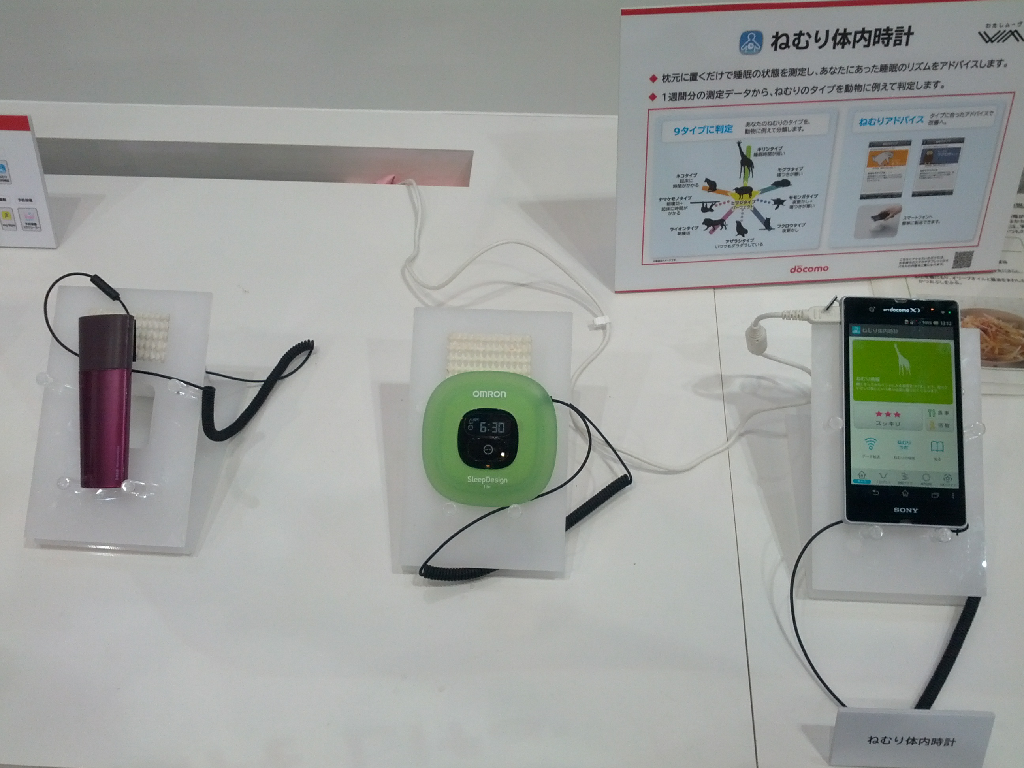
Omron Basil Thermometer with DoCoMo Health Smartphone App

Omron has a unique line of basil thermometers, with pleasant shapes and colors, targeted (obviously) towards women. The devices, among other Omron health device solutions, can all transmit their data via NFC to phones and tablets. Using an app from NTT DoCoMo, health data can be consolidated and analyzed, and health advice can be provided.

clip_image003

All health components gather data to recommend healthy choices.

clip_image004

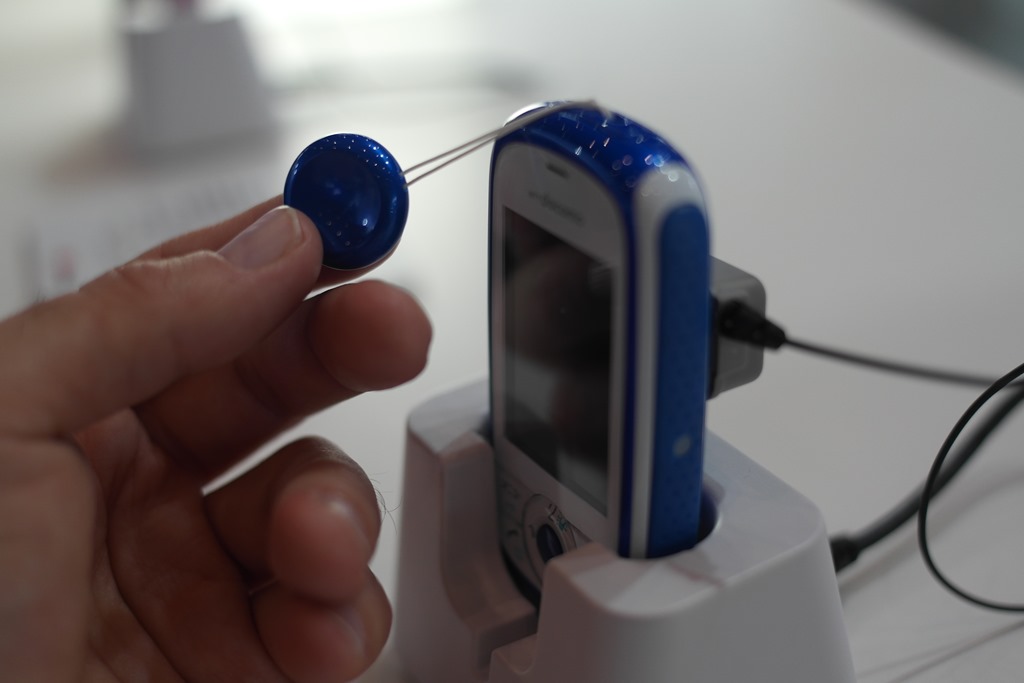
Huawei Phone with Panic Alarm

Chinese consumer and mobile electronics provider Huawei showcased their HW-01D feature phone with a built-in panic alarm. Targeted towards women, children, and the elderly, the device has a pull tab that sets off a loud, yet oddly pleasant, siren to scare away would-be perpetrators.

SAM_8252

Fujitsu Finger Link

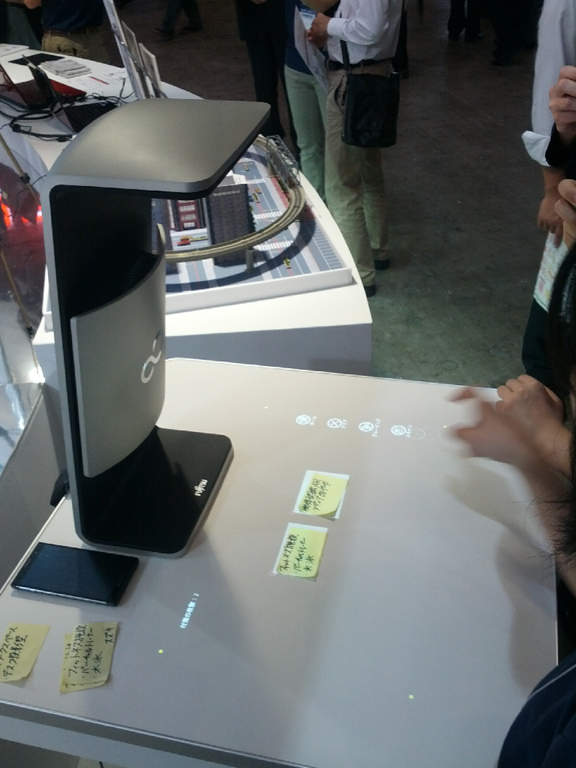
Fujitsu’s Finger Link solution uses a top-mounted camera to convert physical objects to virtual objects, enabling you to organize and relate such items for later manipulation. For example, put 3 Post It notes down and they are converted to digital representations, automatically recognized as separate objects. Tap each related item and drag a line between others similar to the first. Tap a button on the projected interface and now they’re related, moveable, sharable, and more.

clip_image006

Fujitsu Sleepiness Detection Sensor

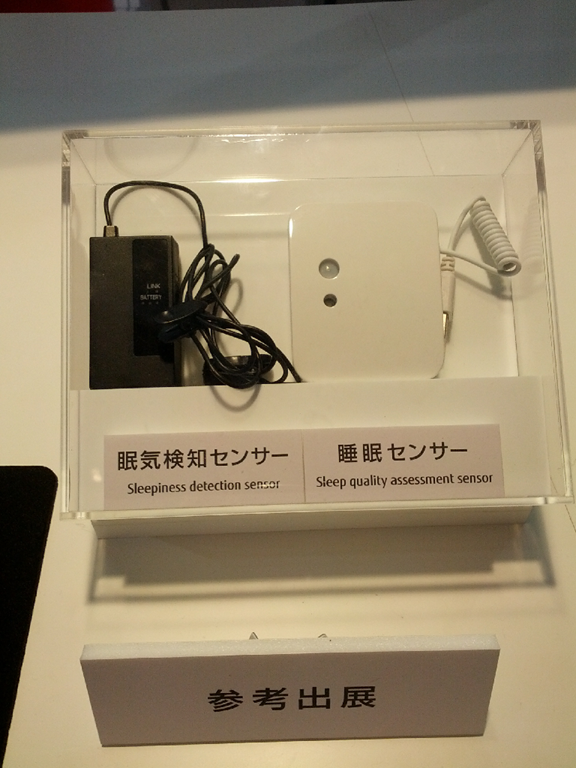
A hot item in vehicles displayed at CEATEC this year was detection of distracted driving. Fujitsu’s component detects eyes moving away from the road, a downward or upward motion possibly signifying the driver is drowsy. The component is for use by automotive integrators.

clip_image007

Fujitsu big data + open data quiet service, LOD utilization Platform

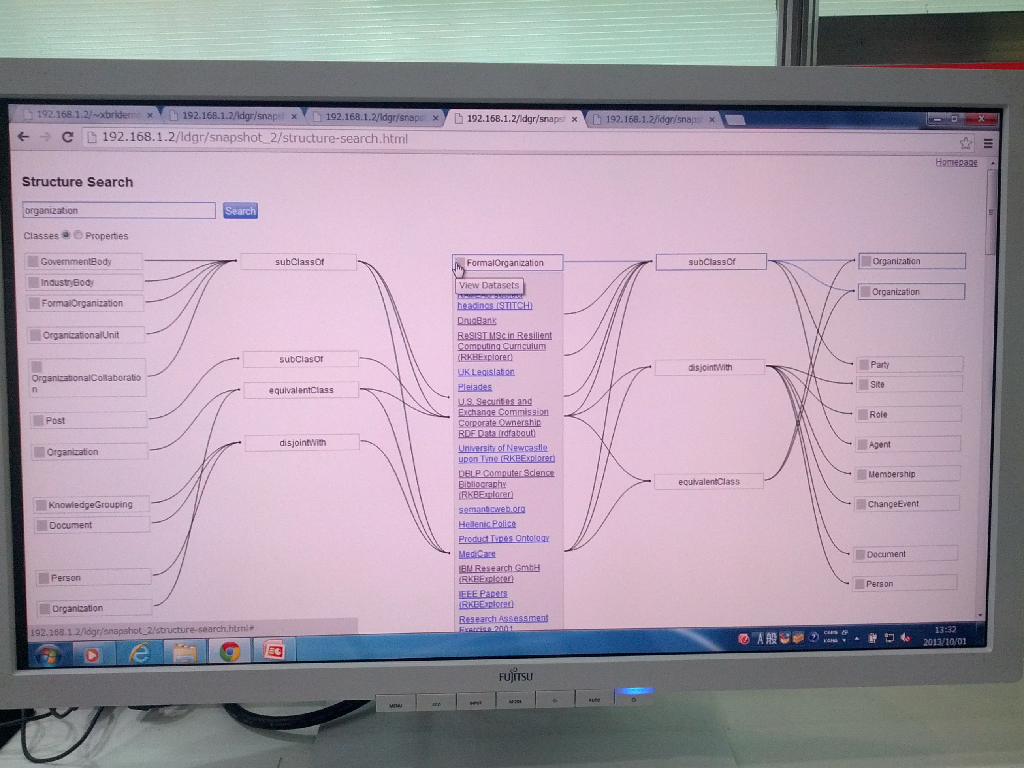
Fujitsu showcased an open LOD utilization platform for quickly and easily mining and analyzing the data from many Open Data sources all at once, visually. The back-end is using the SPARQL query language.

clip_image008

Mitsubishi 4K LaserVue

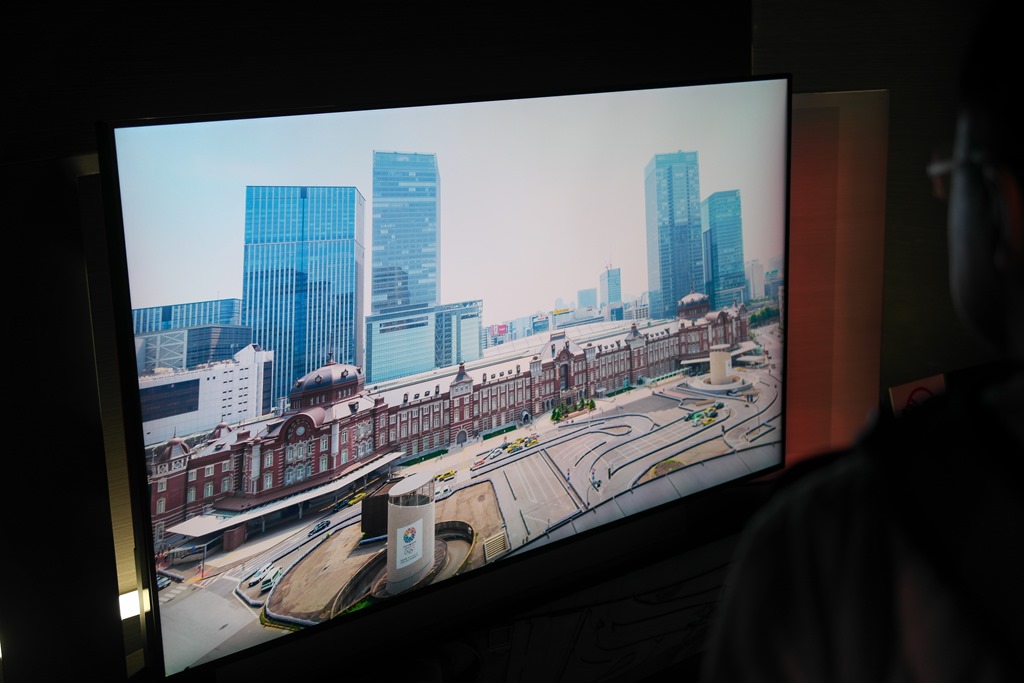
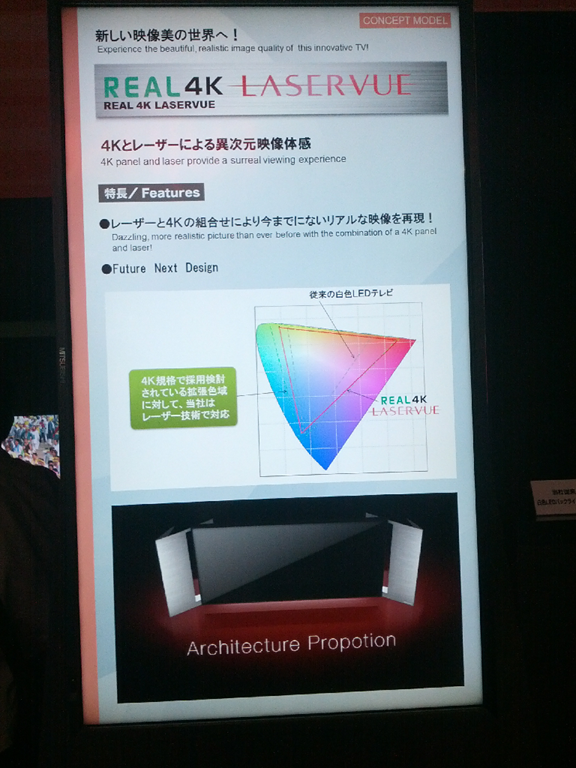
Mitsubishi showcased a prototype 4K Red Laser + LED backlit display, enabling a beautiful, beyond photorealistic video display. Standing in front of the reference unit, I actually felt like I was looking through a window – the colors were amazingly vivid and lifelike.

SAM_8267

clip_image010

Mitsubishi elevator skyscraper swap detection system

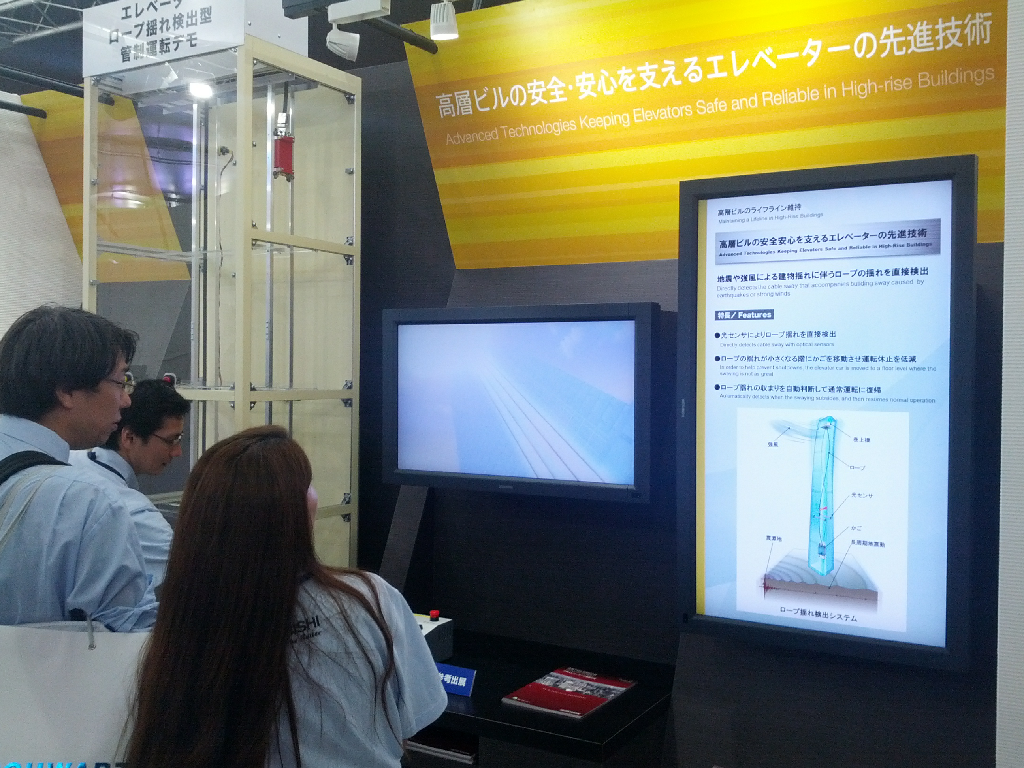
Mitsubishi also showcased a solution for preventing elevator stalls in swaying skyscrapers. Their sensor moves the elevator cart to a non-swaying or less-swaying floor to prevent service outages, keeping the elevators running as efficiently as possible, and giving you one less excuse to miss that meeting.

clip_image011

Mitsubishi 100Gbps optical transmission technology

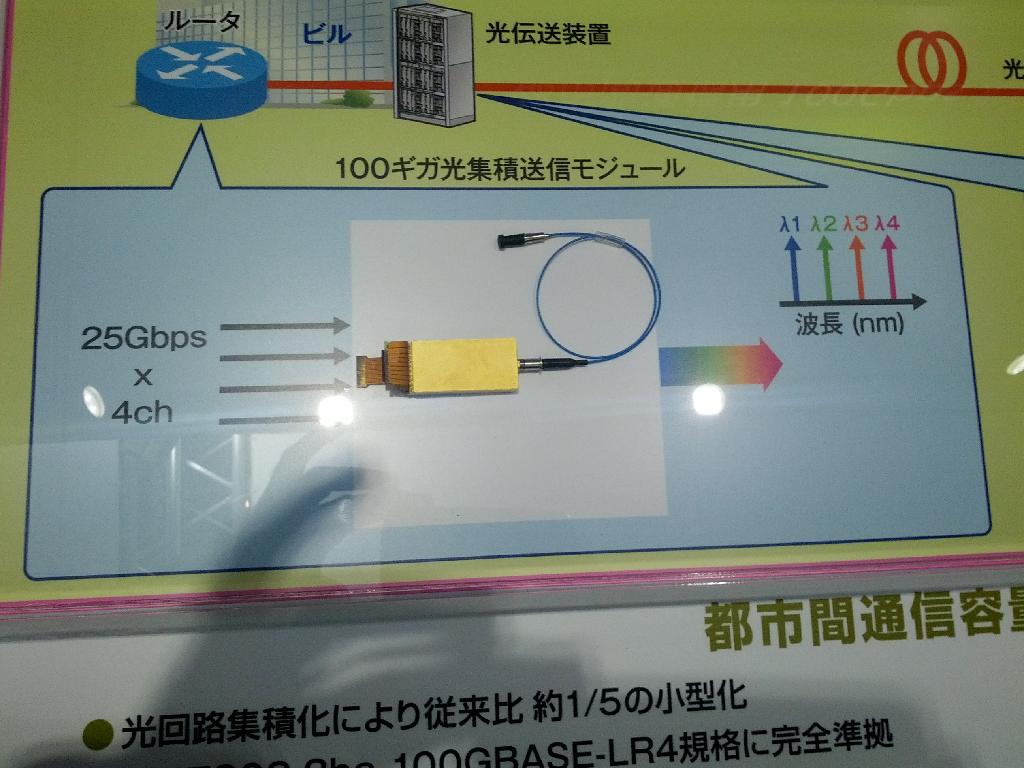
Mitsubishi showcased a 100 gigabit/second inter-city optical interconnect solution, with a range up to 9000 kilometers.

clip_image012

Mitsubishi Vector Graphics Accelerating GPU

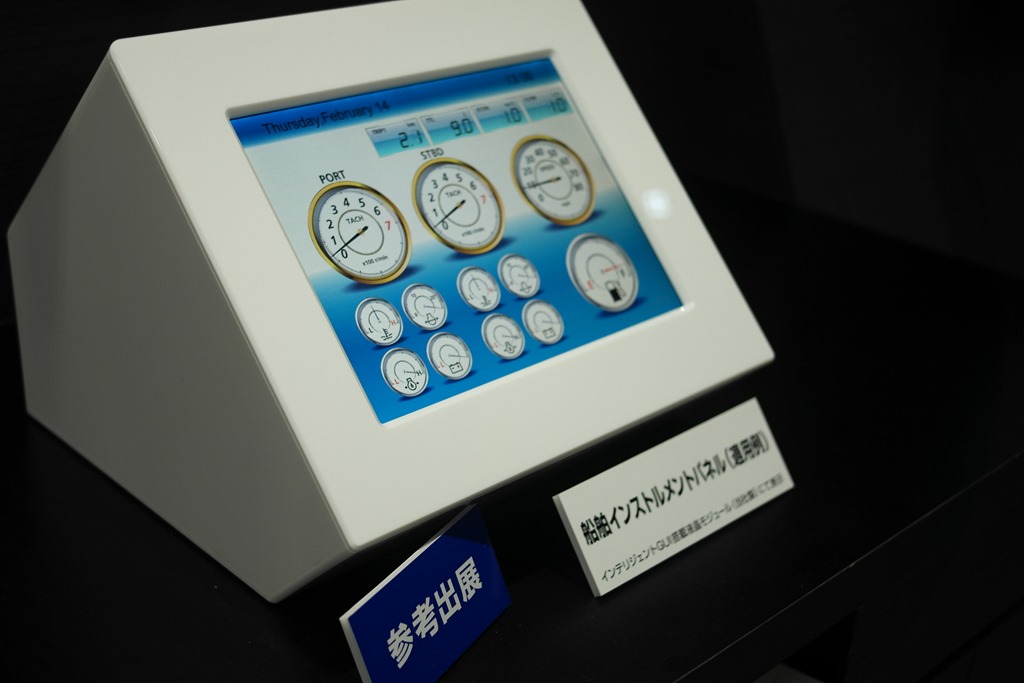
Who says you need multi-core ARM processors running over 1 GHz + powerful GPUs for beautiful embedded device interfaces? Mitsubishi sure doesn’t. They showcased a GPU running at a scant 96 MHz, accelerating vector graphics display at up to 60 frames per second. Incredibly responsive interfaces for elevators and boat tachometers were displayed. The target is rich user interfaces with incredibly low power consumption.

Related notes:

SAM_8265

Mitsubishi Rear Projection Display for Automotive

It’s no surprise Mitsubishi is proposing rear projection solutions for automotive – RP is one of the company’s strengths. What they propose is curved surfaces to provide an interface that matches the interior of the vehicle. Also possible is 3D-like interfaces, as shown below.

clip_image013

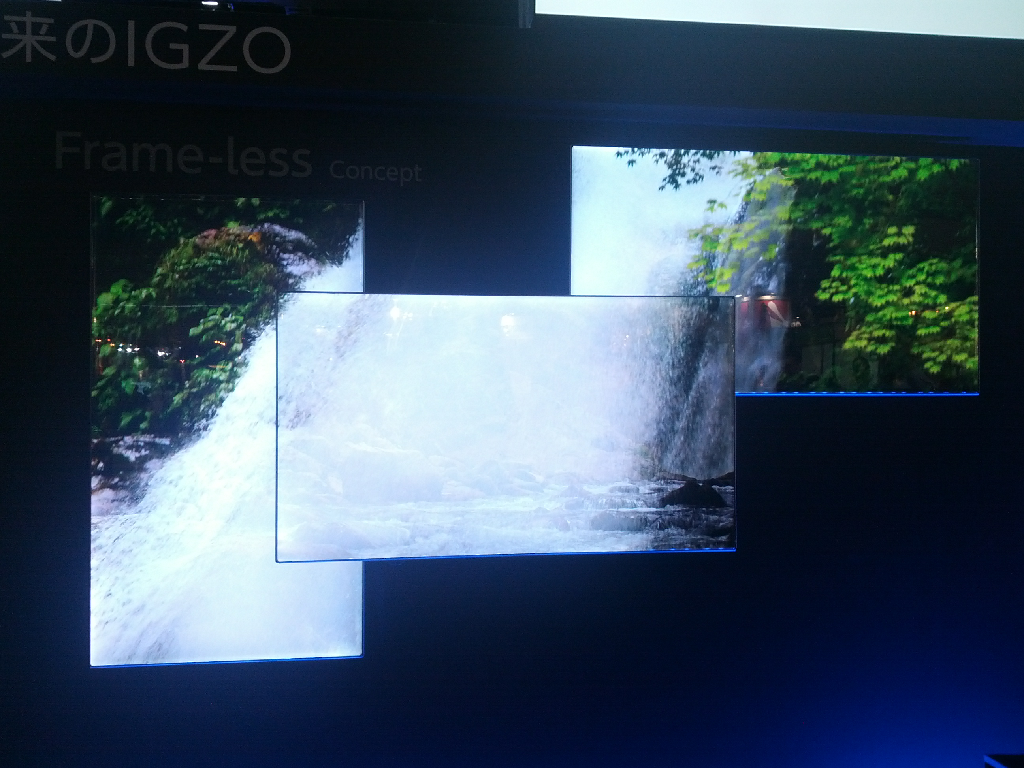
Sharp Frameless TV Concept

A display with no bezel? Sharp’s frameless concept showcases how beautiful such a solution would be. That it in the center.

clip_image014

Sharp Mirror Type Display

Also on display (ahem) was the Mirror Type Display, with a display built into a mirror. Have I said display enough times?

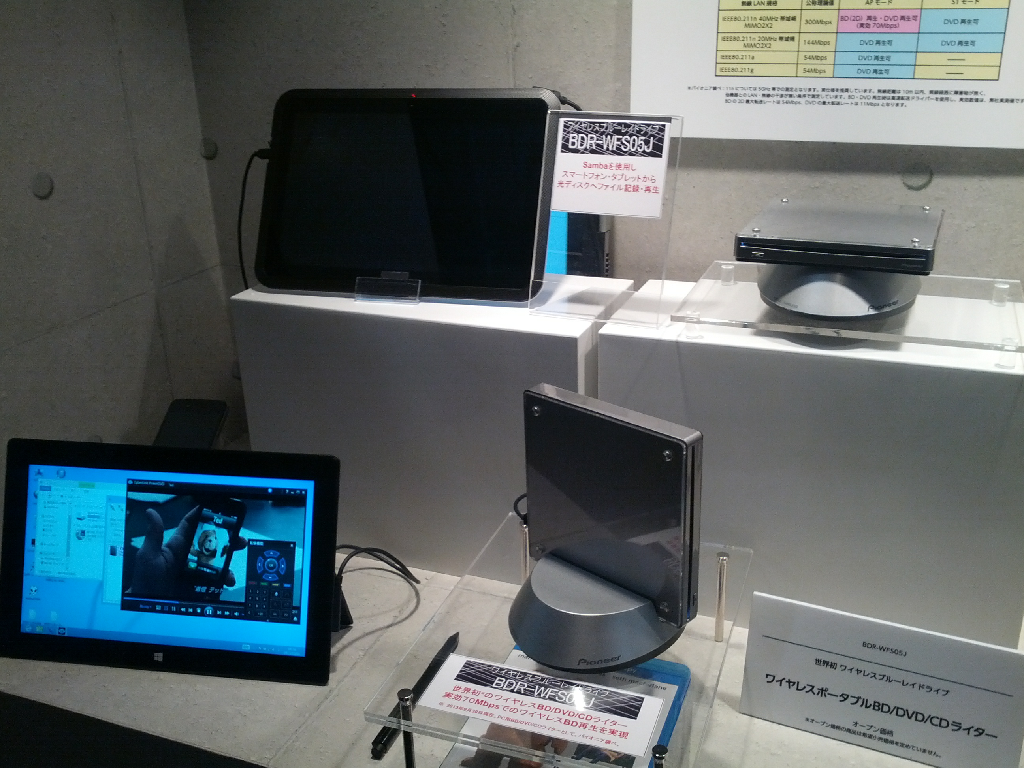
Pioneer Wireless Blu-ray Drive

That shiny new ultrabook is pretty svelte, isn’t it? What’s that? You want to watch a Blu-ray? That’s fine – just use Pioneer’s BDR-WFS05J solution to wirelessly connect to the Blu-ray drive across the room and stream the data over 802.11N, as long as it’s in its dock. The unit also supports USB 2 and 3. Ships at the end of September.

clip_image015

Toyota Smart Home HEMS Using Kinect

Toyota showcased a smart home energy management system (HEMS) using Kinect to interact with various residents.

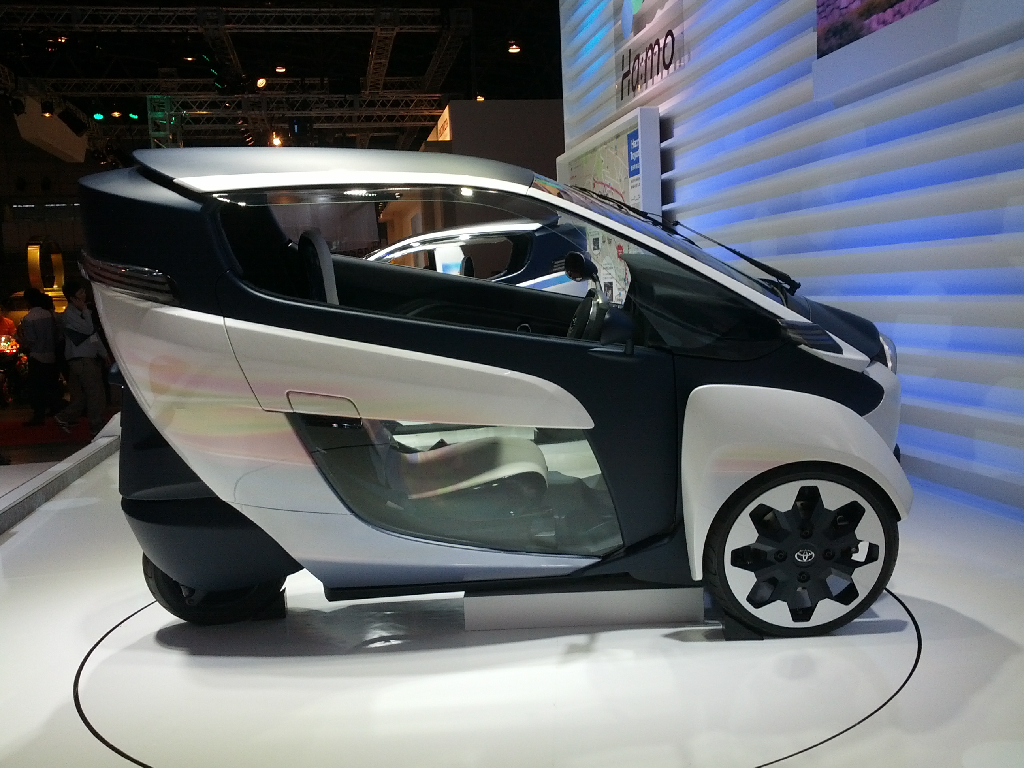
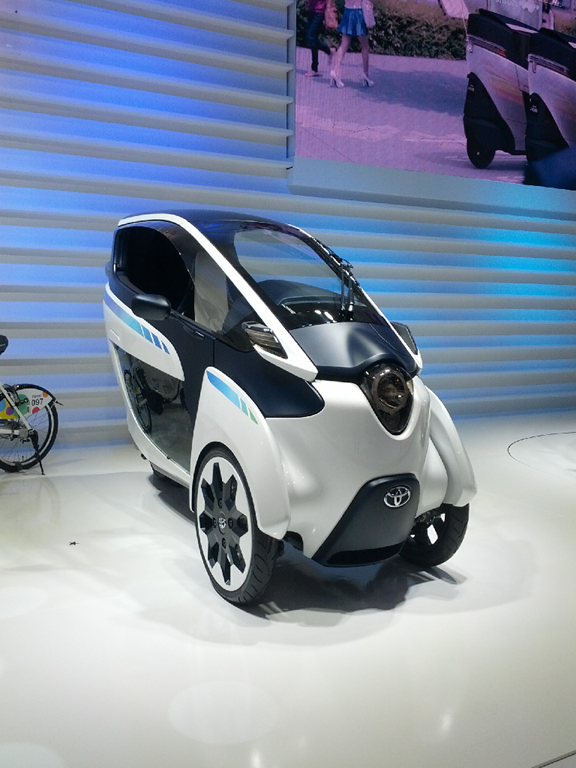
Toyota Concept Vehicles

I don’t know much about the following one-person electric riders, but they looked cool, so enjoy the photos.

clip_image016

clip_image017

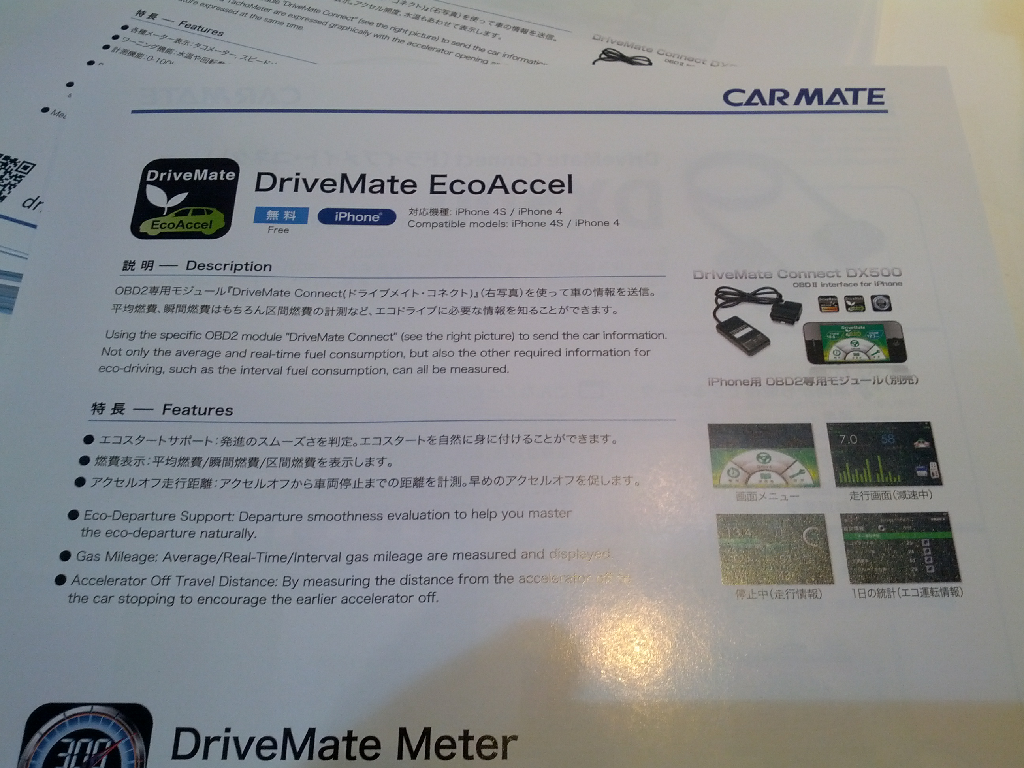
Clarion Smart Access + EcoAccel

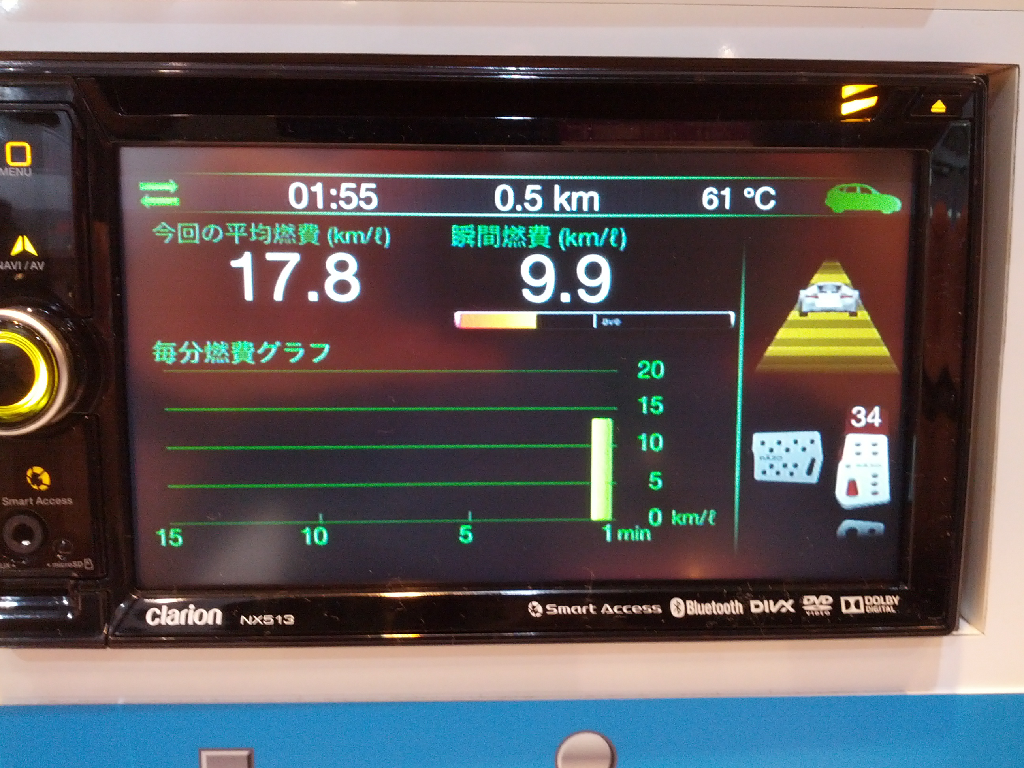
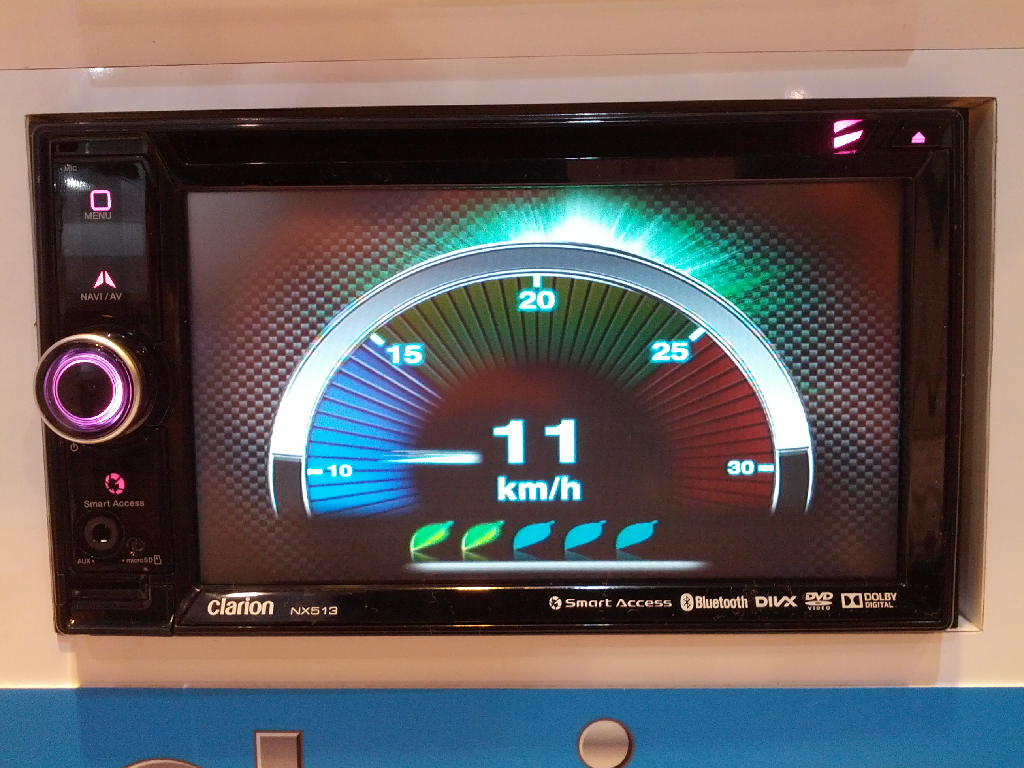
Determining whether you’re driving Green, or "Eco" as they say in Japan, can be difficult. Clarion’s EcoAccel app, which runs on their Android-powered head unit, reads ODB2 sensor data to rate your Eco driving habits. It’s an entertaining way to enhance the eco-friendliness of your driving routine. The representative said there are no current plans to bring this product Stateside, but I’m hoping they change their mind. After all, ODB2 data is pretty easy to read, even if it’s not entirely standardized.

clip_image018

clip_image019

clip_image020

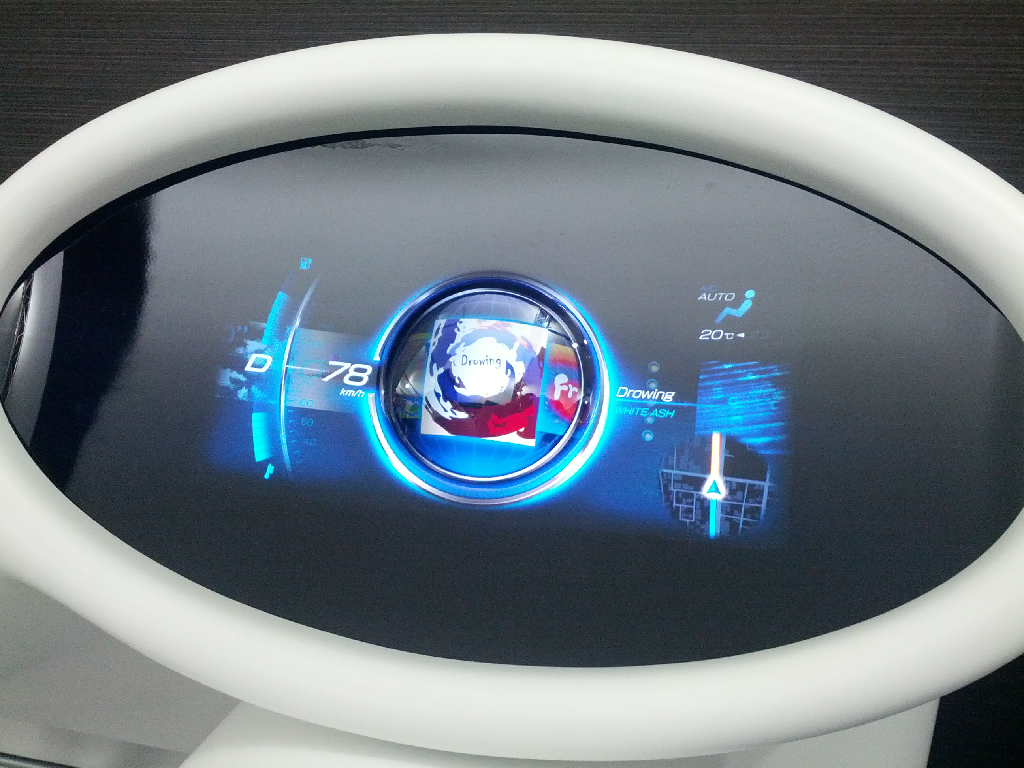
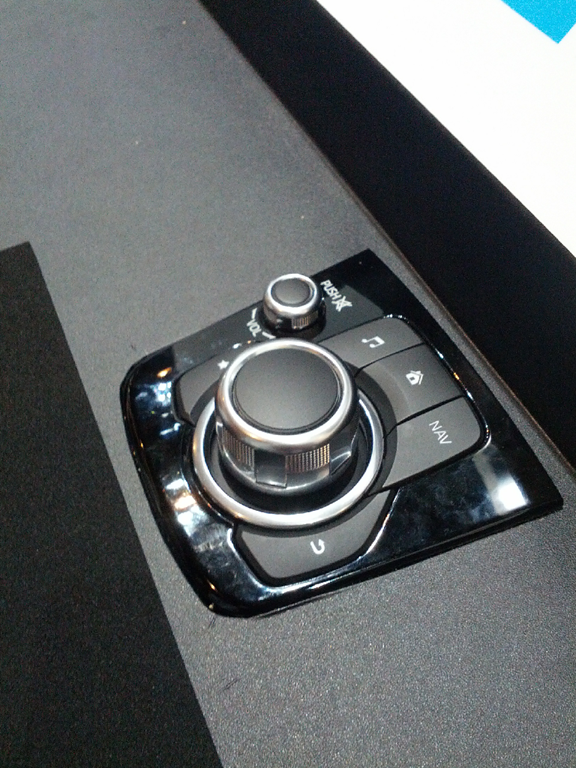
Mazda Heads Up Cockpit

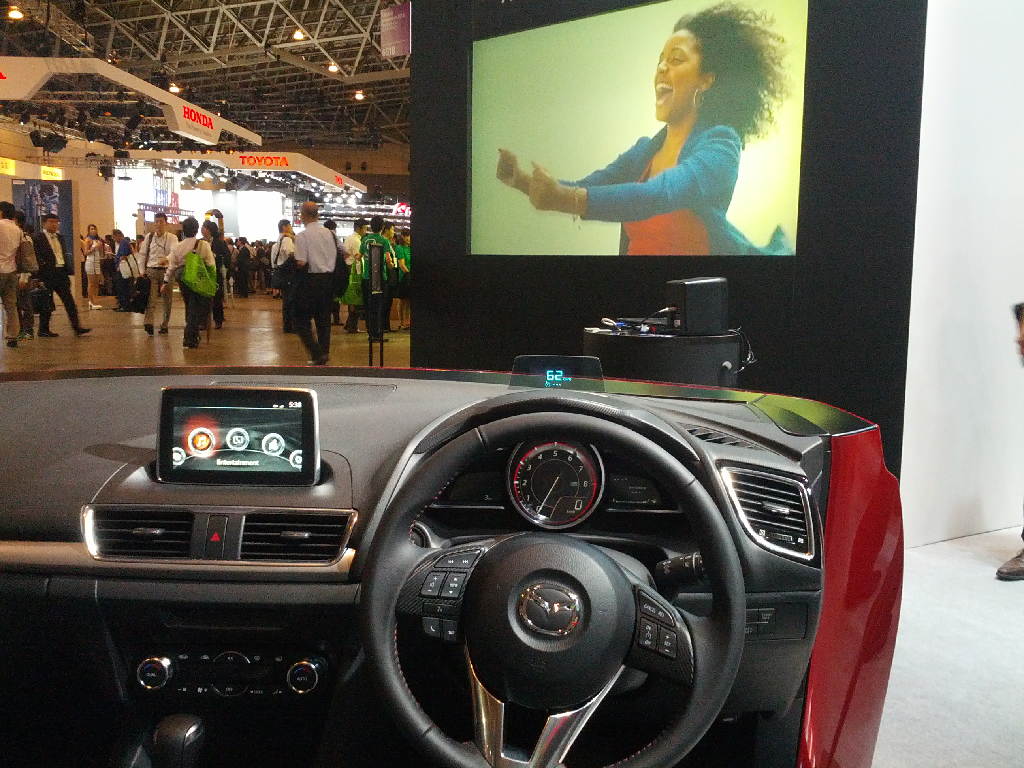
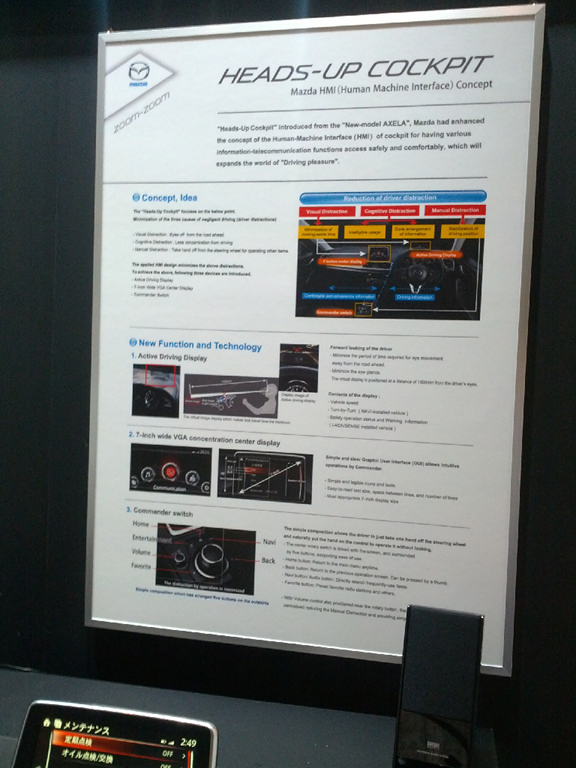
While the HUD component is nothing to write home about, Mazda’s approach of keeping everything at eye level, while re-organizing the shift knob to also be easily manipulated was a welcome safe-driving-meets-ergonomics approach. Better yet, they will be shipping this in their Axela vehicles, meaning less expensive vehicles may be readily receiving technology to deter distracted driving. They call this the Heads Up Cockpit with a Concentration Center Display.

clip_image021

clip_image022

clip_image023

Mazda Connect System

Mazda also showcased the Mazda Connect system, enabling car communication and software components to be "easily" upgraded as new features are available. Whether this will be an insanely expensive solution, akin to Samsung’s upgradeable TV approach, remains to be seen.

It’s fascinating to see how some of the most innovative products are coming from what used to be one of the least innovative industries: automotive.
Today I had the unique opportunity to experience a fully autonomous – i.e. no actual driving required – vehicle, a prototype. From being a concept vehicle a few short years ago to now an automobile actually allowed on the road, Nissan’s EV-that-could has made incredible progress. I have included the video below, including a Q&A with one of Nissan’s engineers.
Nissan’s Fully Autonomous Vehicle at CEATEC 2013

Murata – Sonic Gesture Control

Murata’s components for sonic transmission and reception are being used to create a gesture recognition interface, ideal for hands free control of tablets and other devices. This technology could be used for games, such as Fruit Ninja, providing a 3D space in which to work. The gesture X, Y, and Z coordinates can be determined. An SDK is available, provided by Elliptic Labs. Only single point recognition is supported at this time, but Elliptic claims multi-gesture support is in the works.

clip_image001

Other notes:

  • Single point.
  • Working on multipoint. 2014 target.
  • 180 degree range.
  • Emitters and microphones.
  • 2 Transmitters, 4 microphones.
  • Accurate to about half an inch, but fine movement is supported.
  • Elliptic Labs makes software, Murata the transducer.
  • SDK for android, releasing at CEATEC, Windows SDK already available.

Mitsumi laser heads up display for automotive

Mitsumi demoed a heads-up display for automotive use, preventing distracted driving. The reference exhibit utilizes a laser pico projector and piezoelectric transmission to the mirror rather than the electromagnetic approach their competitor Macrovision (?)  uses.

The projected resolution is claimed to be 1024×640, although I’m unsure if that was a mis-translation – they’re only using a QHD (quarter-HD) panel.

clip_image002

clip_image003

The device is expected to be shipped to integrators by 2017-2018. End user access could take longer, as integrators decide how to best implement the technology.

Alps Epistemic Cockpit

ALPS showed what happens when you buck the trends of the traditional car cockpit.

Utilizing cameras, biometric sensors, wireless charging and transmission, the cockpit can ensure the driver is authenticated, isn’t sleepy, and provide them access to all their phone’s media.

Other notes:

  • User authentication.
  • Face recognition.
  • Checks physical condition, such as heart rate, gaze direction for drowsiness, whether the driver is looking away.
  • Gaze detection occurs continuously.
  • Vitals dictate whether driver has entered, exited vehicle.

clip_image004

clip_image005

The system uses a camera and laser to point the user to places in the vehcile, such as where to place their phone. It’s encouraging to see more manufacturers thinking outside the traditional configuration. A lack of such leads us to retaining QWERTY as the default keyboard layout Smile with tongue out

ALPS + MyWay + ROHM Efficient DC-DC Converter

Modern portable DC-DC converters are still quite inefficient, but a recent collaboration between ALPS + MyWay + ROHM may change that forever. The trio has created a much more efficient dc-dc converter – it’s 1/10 the size, 1/5 the weight, and many times more efficient than traditional systems.

clip_image006

clip_image007

The unit is smaller due to its switching frequency, which is 100KHz , versus 15KHz in current solutions, while still providing effectively the same amount of power.

The module will be sold by MyWay by the end of October 2013.

Possible applications of the module will be significantly smaller and more efficient charging stations and electric vehicle power systems. This could further increase the range of EV systems allthewhile using less space.

Photo from the Intel Booth

While I haven’t yet visited the Intel booth, it sure looks cool.

clip_image008

NEC DNA Analyzer

NEC has created a portable DNA analyzer capable of analyzing DNA indicators at crime scenes and determining any possible suspect matches through integrated database searching. The company has combined the functions of three DNA machines used on crime scenes into a single, smaller unit. Rather than taking two days to process the samples, it can return results in about an hour, with a target of 30 minutes being their next goal. The database searching is optional and does not significantly affect the unit’s processing time either way.

clip_image009

clip_image010

clip_image011

clip_image012

clip_image013

Other Notes:

  • In 2014 they will make units available to research and law enforcement. 2015 product launch.
  • Also has disaster site and medical area applications. Anywhere DNA analysis its necessary.
  • Price range expected to be 20-50M Yen. Possibly 10M Yen when it goes mainstream.
  • In conventional system, each of those components costs 10-50M Yen each, so this is a considerable savings. However, those systems can do 40-80 samples at a time vs. only 1 here.

NTT Docomo Intelligent Glasses

NTT DoCoMo showed their take on the software solutions possible when a camera and OS are attached to a glasses interface. They called these scenarios and software solutions “intelligent glasses,” even though no product is shipping as of yet.

clip_image014

The units had a QHD panel for the interface, with full movie playback capability.

clip_image015

clip_image016

clip_image017

clip_image018

clip_image019

In the example pictured above, the glasses are generating an overlay touch interface on the book she’s holding.

clip_image020

clip_image021

Above is their concept for an augmented reality application. Hands can be tracked in 3D space for manipulating an object projected in the lens display.

clip_image022

clip_image023

One incredible application utilized text and face recognition. Looking at a menu in Japanese, for example, overlaid the English translation over the text. Users could also find and recognize faces in the crowd, making it easier, say, to find your children at a parade, or social media contacts in a crowd based on their online photos.

clip_image024

clip_image025

clip_image026

clip_image027

NTT already has a similar translation feature on their smartphone products.

clip_image028

clip_image029

Other Notes:

  • The solution for text translation and face recognition was running on an Android 4.0 – Ice Cream Sandwich – platform.

NTT DoCoMo 5G Demonstration

NTT demonstrated a 5G solution utilizing arrays of 100 microantennae to boost per-user signal strength and data transmission. Their goal is to provide 1 GBit/second rates to all users, with up to 10 GBit/second under “ideal” circumstances.

clip_image030

clip_image031

clip_image032

Below are photographs from their 5G simulation:

clip_image033

clip_image034

clip_image035

clip_image036

clip_image037

Other Notes:

  • 1000x system capacity, 100x speed increase
  • 1GBps goal typical data rate, sometimes 10 GBits if prefect conditions
  • Question: What processor could handle that on a phone anyway? Makes sense it would be future.
  • Multi cell provides direct path to more users under load. Great for traffic explosion, also in congested environments, with the 100 micro cells per antenna.

imageYahoo’s logo has finally been revealed. But how did they come up with it, you ask? Well, watch the video below to find out the lines and swoops and music that inspired their creation. Still, a conversation with a creative director would have been better, but I’m happy nonetheless.

http://www.youtube.com/watch?feature=player_embedded&v=_0b6qaPY-CQ